Published specifications for NEO
- Height
- About 168 cmConverted from 5 ft 6 in.
- Mass
- About 30 kgConverted from 66 lb; battery inclusion is not stated.
- Battery runtime
- 4 hManufacturer estimate; workload unspecified.
- Reported speed
- 1.4 m/s walkingWalking specification, separate from the running claim.
Not established for this configuration: Actuated joints, Handling load.
Hardware and components
- Battery
- 842 Wh.
- Compute
- NEO Cortex with NVIDIA Jetson Thor.
- Vision
- Two 8.85 MP stereo fisheye cameras at 90 Hz.
- Actuation and sensing
- Tendon drives and linkwise IMUs.
Control and operating conditions
Redwood handles learned tasks. Basic autonomous functions are separate from scheduled Expert Mode, in which a remote operator guides unfamiliar tasks; app and VR remote control are also listed. Public ROS 2 and SDK access are not specified.
Ordering and access
On 10 October 2026 the order page lists USD 20,000 Early Access ownership or a USD 499 monthly option, with a USD 200 refundable deposit. US deliveries are advertised from 2026; a specific delivery date is not guaranteed.
Manufacturer and development
Bernt Børnich founded Halodi Robotics in 2014. The company announced a Palo Alto headquarters in 2025, combining teams from Moss and Sunnyvale. Its Hayward NEO facility covers joint assembly, final integration, testing and reliability.
Questions specific to 1X NEO
What should an in-home trial record?
Separate unattended completions from tasks needing a person, measure interventions and log battery consumption per chore. Confirm plan-specific warranty, service and destination eligibility.
1X NEO: Complete Beginner’s Guide to Buying, Starting and Controlling the Home Humanoid
Manufacturer specifications and order information checked November 17, 2026. Research demonstrations are distinguished from features available to customers.
In this guide
- What is NEO?
- Who created NEO?
- Technical specifications
- Body and actuation
- Robotic hands
- Price and cost comparison
- How to order
- Equipment required
- First startup
- Control modes
- Walking
- Running
- Dancing
- Software
- Python and ROS 2
- Software architecture
- Learning new tasks
- Charging
- Maintenance and safety
- Suitability for developers
1. What is 1X NEO?

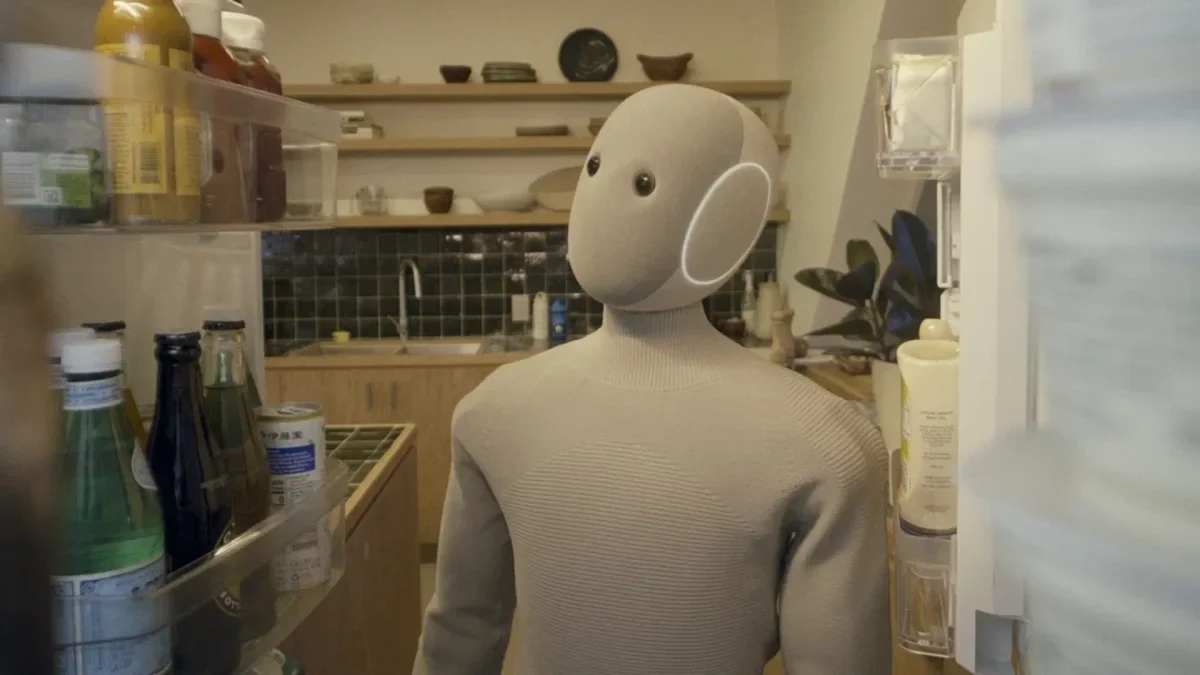
NEO is a humanoid robot designed by 1X Technologies to perform household chores and interact with people. Unlike robots primarily designed for factories, NEO is intended for homes, kitchens, bedrooms and living rooms.
It is designed to:
- Organize objects.
- Fold clothes.
- Vacuum.
- Carry objects.
- Open doors.
- Climb stairs.
- Communicate with humans.
- Recharge automatically.
- Learn new tasks.
Some activities still require remote assistance from a human operator.
2. Who created NEO?
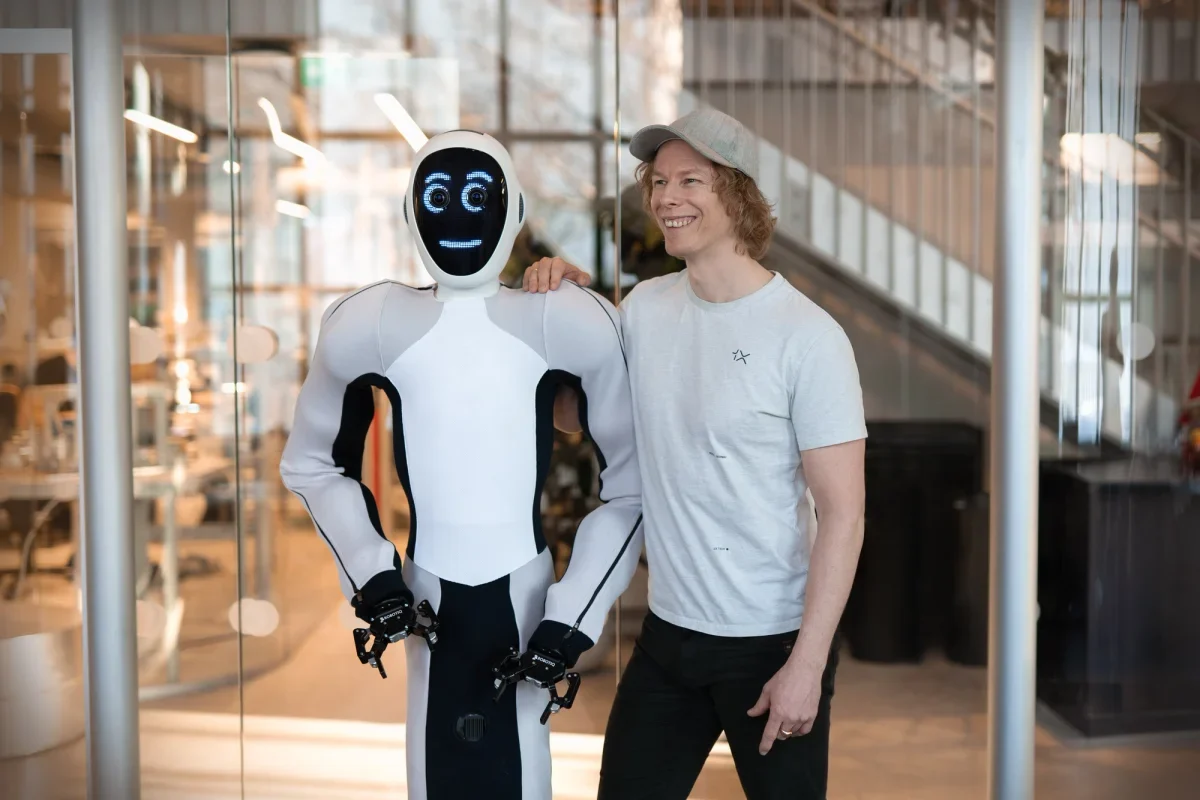
Bernt Øyvind Børnich founded 1X Technologies in Norway in 2014 under the name Halodi Robotics. The company is now based in California, United States.
Evolution of 1X robots
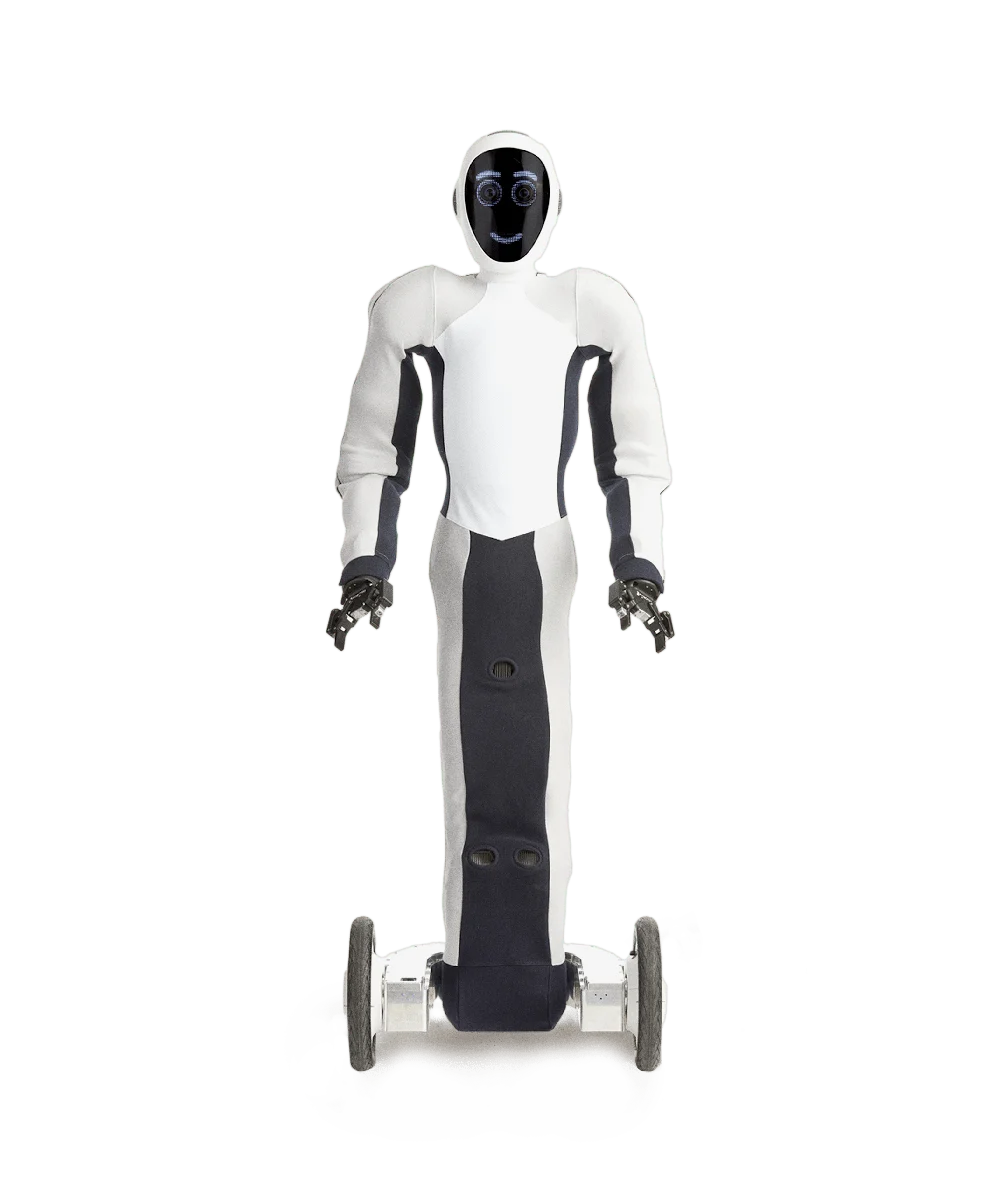
EVE - 2022
Wheeled humanoid robot intended for industrial applications.

NEO Beta - 2024
The first publicly presented bipedal NEO prototype.
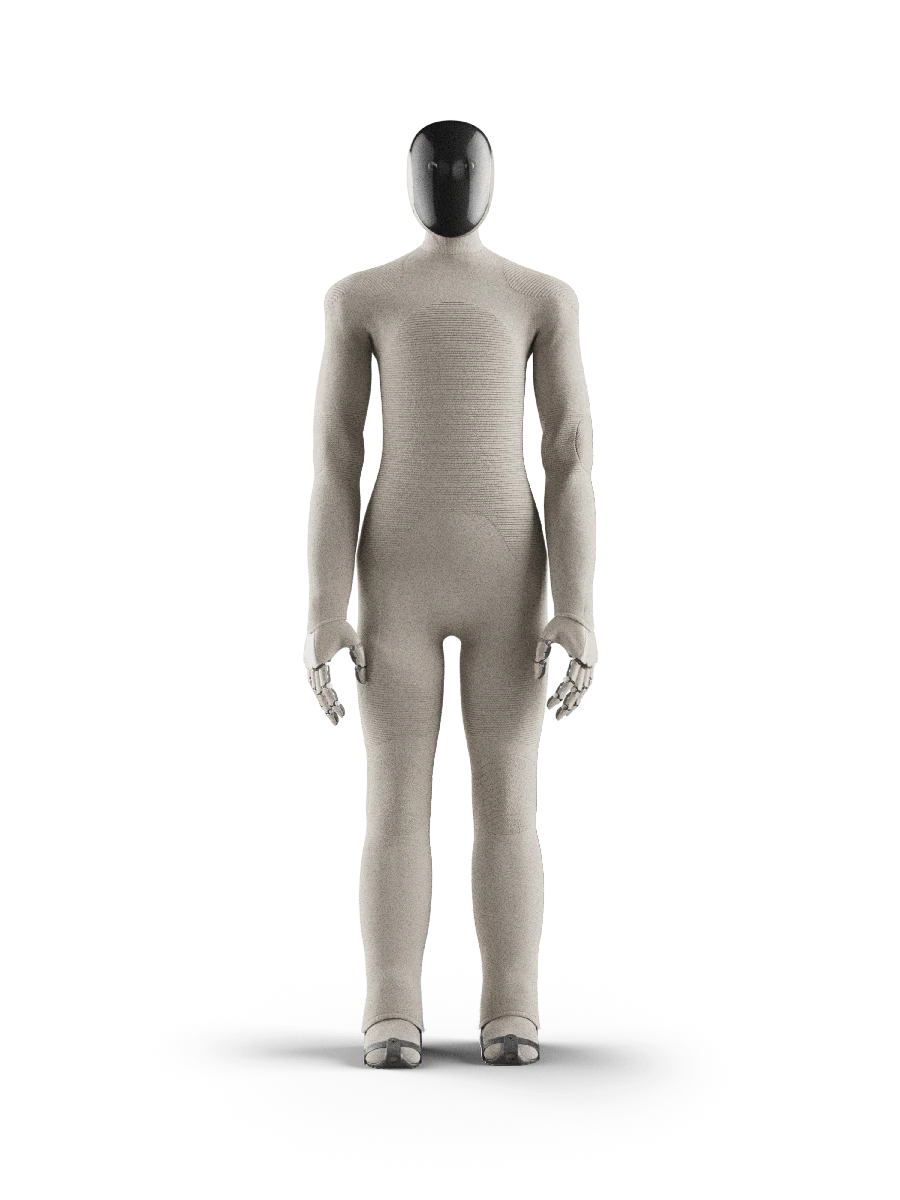
NEO Gamma - 2025
An improved version designed for home environments.
NEO - 2025–2026
The commercial version offered for preorder.
Where is NEO manufactured?

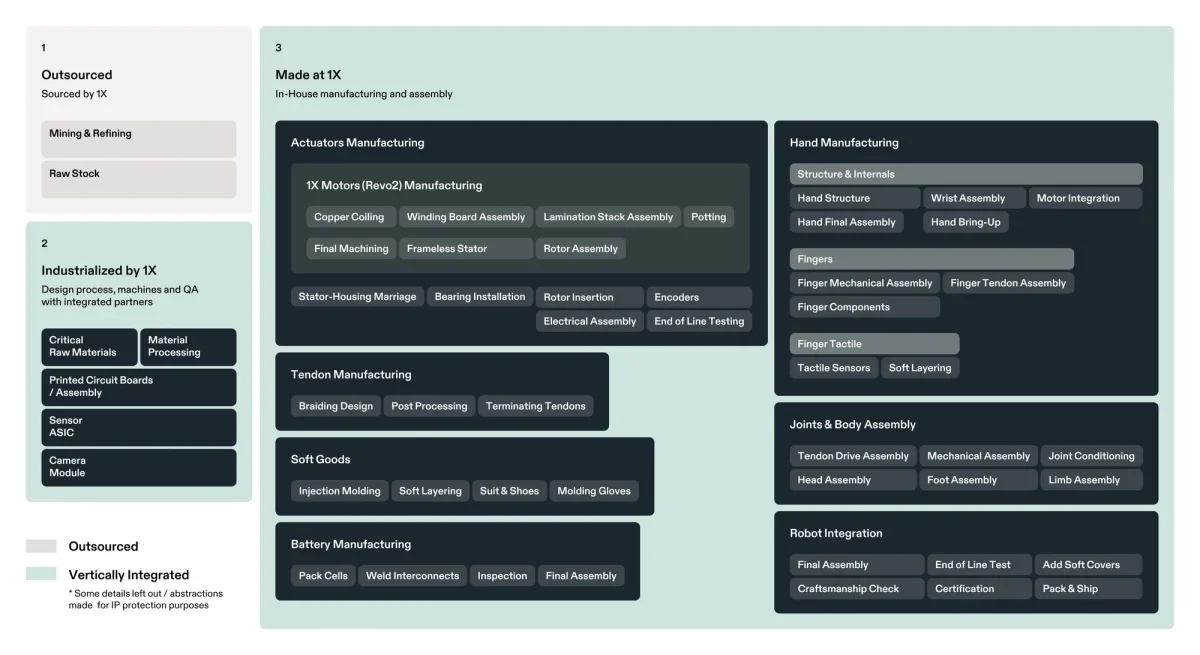
1X manufactures NEO at its facility in Hayward, California. The company develops its own motors, joints and transmission systems. The factory has an announced capacity of 10,000 robots per year.
3. Technical specifications
| Component | Specification |
|---|---|
| Battery | 842 Wh |
| Processor | NVIDIA Jetson Thor |
| AI compute | Up to 2,070 FP4 TFLOPS |
| Cameras | Two 8.85 MP stereo fisheye cameras |
| Camera frequency | 90 Hz |
| Microphones | 4 |
| Connectivity | Wi-Fi, Bluetooth, 5G |
| Lifting capacity | Approximately 70 kg |
| Payload per arm | Approximately 8.2 kg |
| Hand protection | IP68 |
| Body protection | IP44 |
| Claimed noise level | 22 dB |
These are manufacturer-listed specifications, not independent test results.
4. How does NEO’s body work?
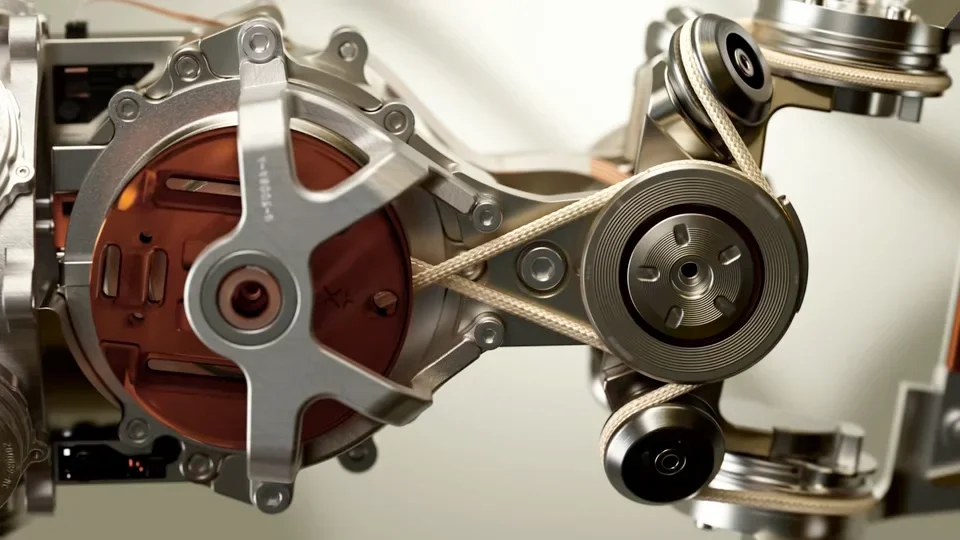

NEO uses tendon-driven actuators inspired by human muscle mechanics. Motors pull artificial tendons to move the joints. This architecture reduces limb inertia and allows control of the forces applied during movement. A soft structure covers the body to cushion contact.
Simplified anatomical diagram based on the manufacturer’s specification sheet. The newly announced hand assembly includes wrist joints; see the next section.
5. NEO’s robotic hands
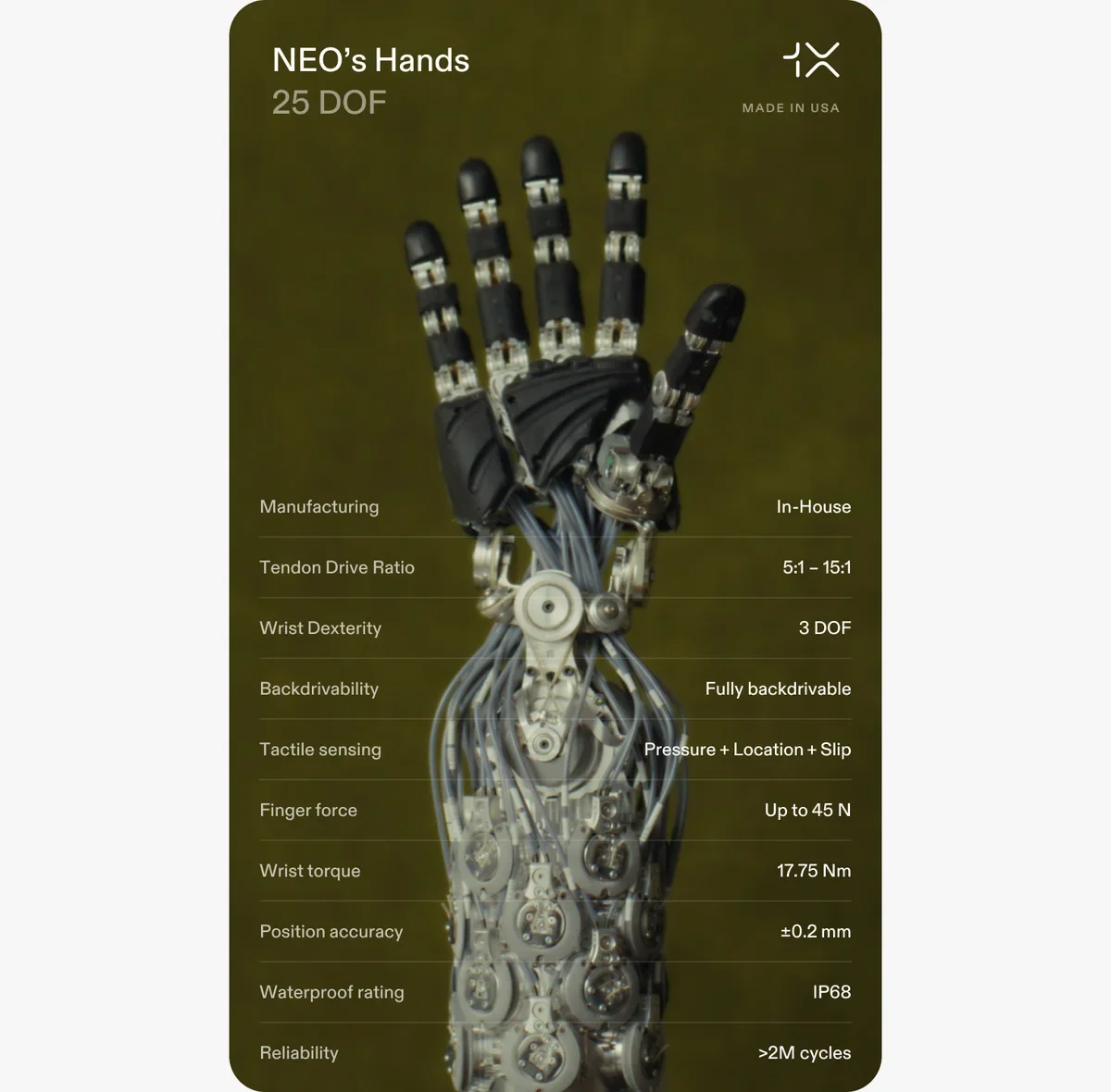
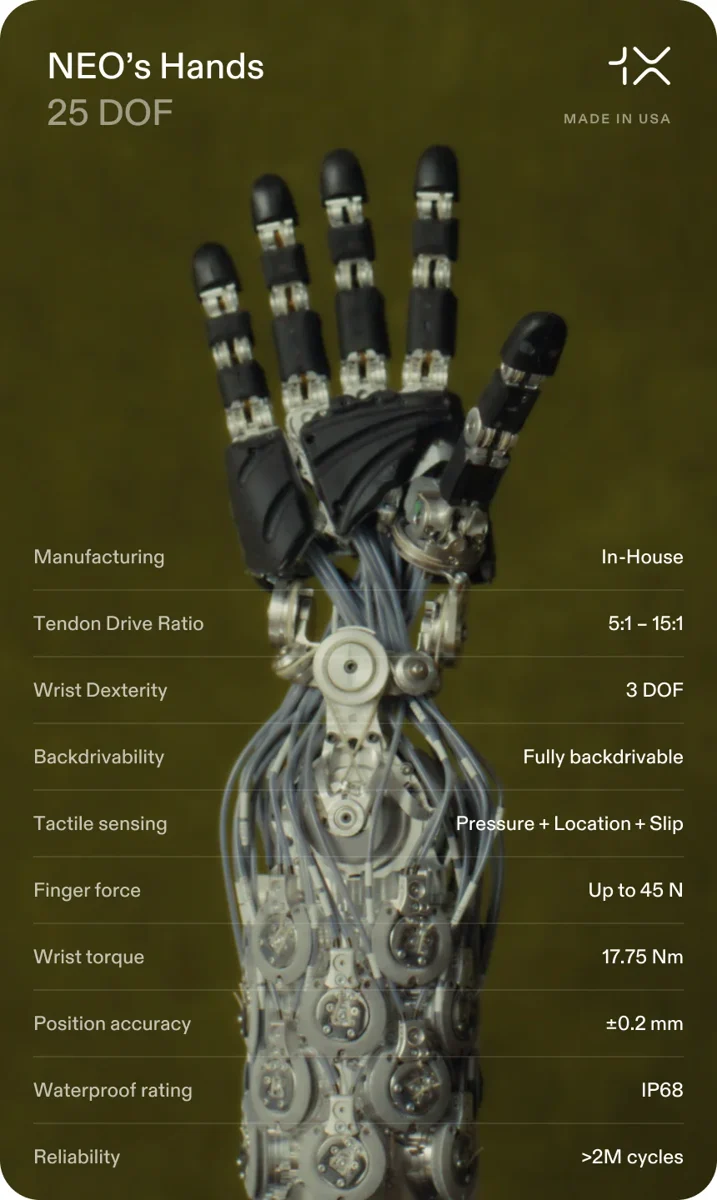
On July 9, 2026, 1X presented new hands with 25 degrees of freedom each.
- 22 degrees of freedom in the fingers and palm.
- 3 degrees of freedom at the wrist.
- Distal flexion force up to 45 N.
- Mechanical tendon transmission.
- Motors installed in the forearms.
- Force control at the joints.
The design supports delicate object manipulation and complex finger movements.
6. How much does 1X NEO cost?
One-time payment
- Three-year warranty
- Premium support
- Priority delivery
Per month
- Subscription access
- Initial household features
- Standard delivery
Both options require an initial $200 deposit. Refund eligibility is subject to the preorder terms.
Excludes taxes, maintenance and any extra services. The break-even point is about 40 months.
7. How to order NEO
Visit the official 1X shop: 1x.tech/order
- Select the purchase or subscription plan.
- Choose an available color.
- Enter your contact details.
- Pay the $200 deposit.
- Wait for the formal invitation to complete your order.
- Verify delivery conditions.
- Pay the remaining balance or applicable subscription payment when an order becomes available.
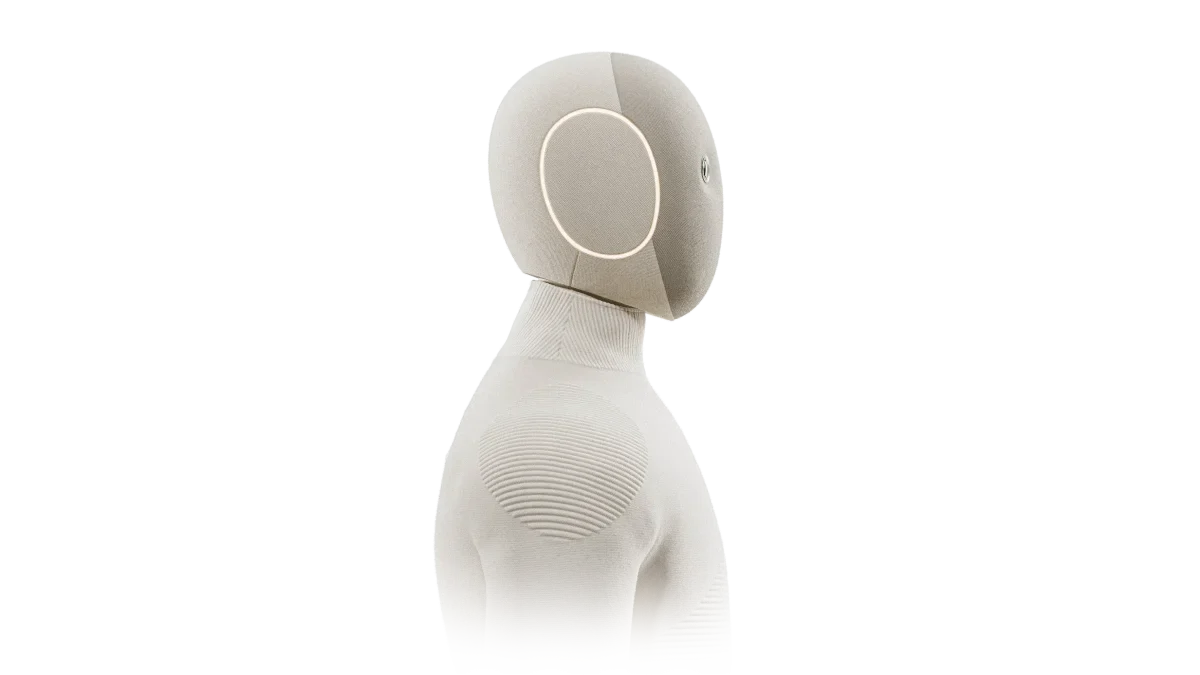
Can you order NEO from Morocco?
Initial deliveries are advertised for the United States in 2026. International expansion is planned from 2027. Availability in Morocco has yet to be confirmed by 1X. Contact: support@1x.tech.
As of November 17, 2026, we have not found public confirmation of widespread commercial deliveries to ordinary customers. A preorder does not guarantee a delivery date.
8. What equipment do you need to use NEO?
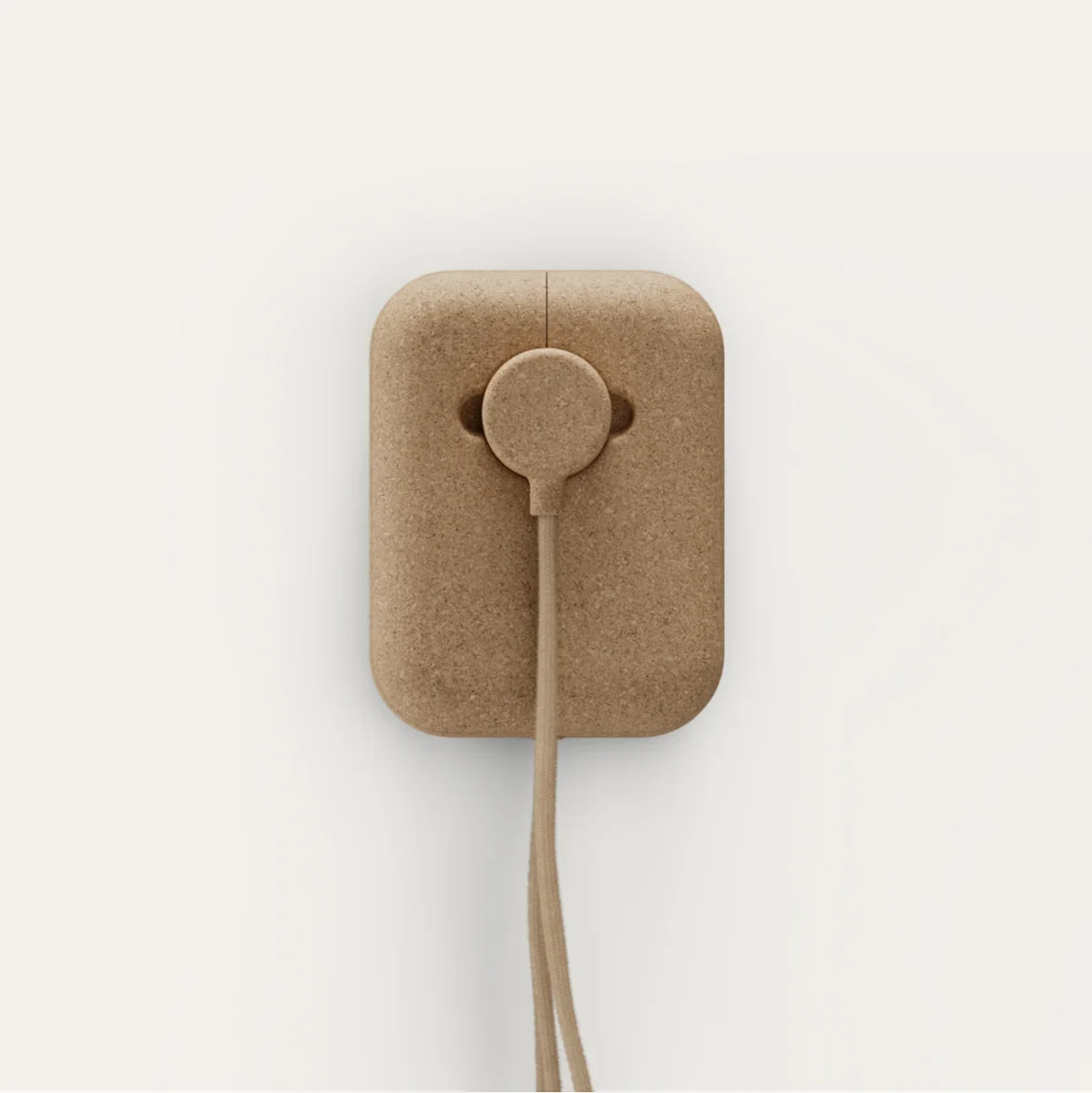
Supplied with the robot.

For commands and monitoring.
For connected services.
For remote piloting features.
A powerful computer is unnecessary for normal household use because the robot has onboard computing. An NVIDIA GPU-equipped computer may be useful for advanced programming and simulations.
9. How to start NEO for the first time
The complete customer startup manual has not been made publicly available. The following is a general commissioning checklist; follow the official instructions supplied with the robot.
- Unpack the robot.
- Inspect the joints and body.
- Set up the charger.
- Charge the battery.
- Configure your user account.
- Install the official application.
- Connect NEO to the network.
- Configure access and permissions.
- Perform the checks recommended by 1X.
- Test the first tasks in a clear space.
- Unpack
- Charge
- Configure account
- Connect to network
- NEO application
- Safety checks
- First commands
Verify the emergency stop procedure before asking the robot to perform physical movements.
10. How to control NEO
| Mode | Function |
|---|---|
| Voice control | Give instructions |
| Mobile application | Schedule and monitor tasks |
| Teleoperation | Pilot the robot remotely |
| Expert Mode | Request assistance from a 1X operator |
Voice and app → Redwood AI · VR → Motion interface
- Control interface
- Motion controller
- Actuators and joints
- Sensors
Sensor feedback returns to the motion controller.
Illustrative voice instructions:
- Come here.
- Pick up the bottle.
- Bring me the towel.
- Open the door.
- Go back to the charger.
Each instruction depends on the software features actually installed on the robot.
11. How to make NEO walk


NEO has a locomotion controller trained through reinforcement learning (RL). It uses camera and inertial sensor information to adjust leg movements and maintain balance.
Simplified illustration of a bipedal gait cycle.
For an owner, walking may be requested as part of an autonomous task or through supported teleoperation mobility commands. The announced walking speed is 1.4 m/s. 1X has also developed movements for sitting, kneeling and climbing stairs.
12. How to make NEO run
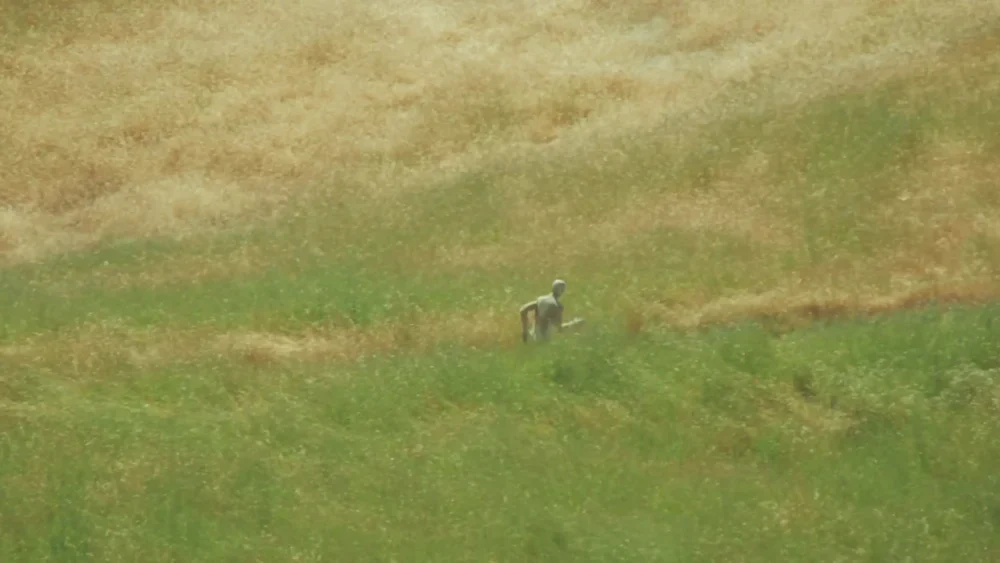
1X publishes a maximum running speed of 6.2 m/s, approximately 22.3 km/h.
Walking - 5 km/h
Claimed maximum running speed - 22.3 km/h
A maximum hardware speed does not mean that a running mode is directly accessible to the owner. 1X engineers have used human motion-capture trajectories to train controllers for dynamic movement.
- Capture human movement
- Retarget to NEO’s skeleton
- Train in simulation
- RL locomotion policy
- Validate on the robot
No documented public command for directly activating running has been identified. Do not attempt to bypass manufacturer speed or stability limits.
13. How to make NEO dance
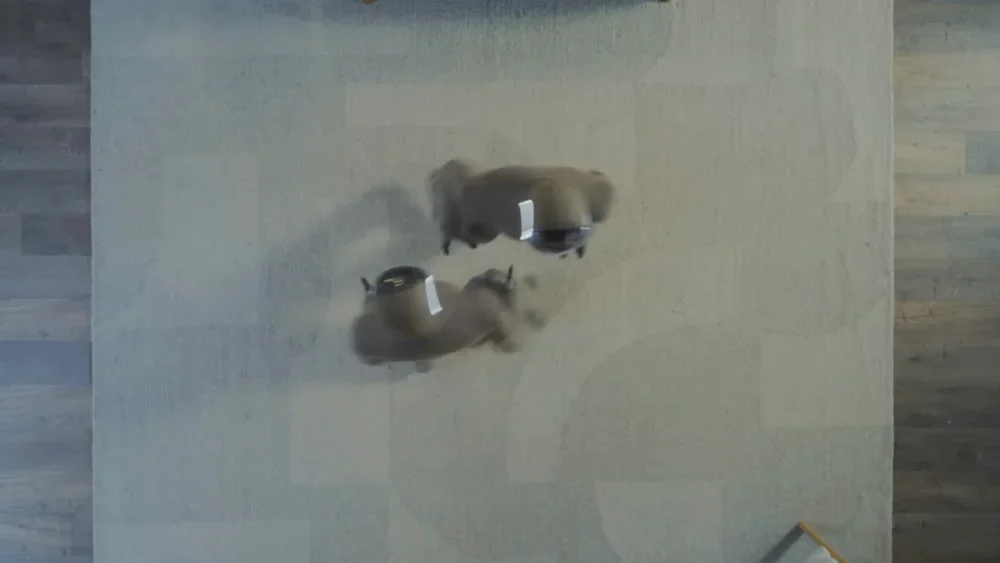
To reproduce a dance, a development team can use a motion capture recording of a human dancer.
- Record human movements.
- Extract joint positions and orientations.
- Adapt the movements to the robot's morphology.
- Train a controller to reproduce the trajectory.
- Validate balance in a simulator.
- Test movements progressively on the robot.
- Human dance
- Motion capture
- Retargeting
- Physics simulation
- RL controller
- Actuators
- Dance movements
This is the research method described by 1X for dynamic movements. It is not a directly executable programming tutorial for the commercial NEO.
14. What software is used?
Redwood AI
1X’s model for interpreting the environment and performing physical tasks.
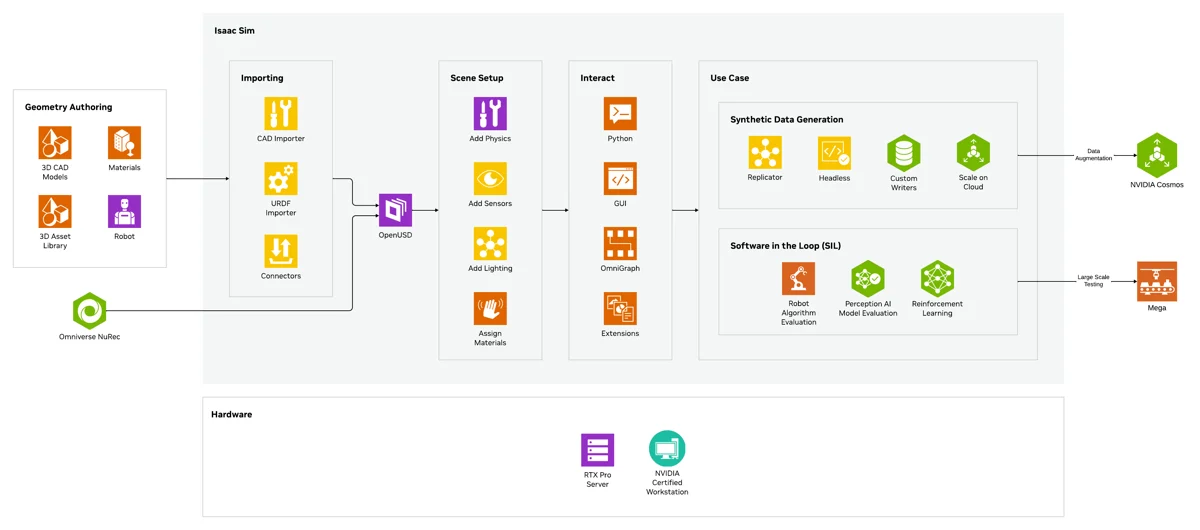
NVIDIA Isaac Sim
Simulates environments, contacts and robot behavior.
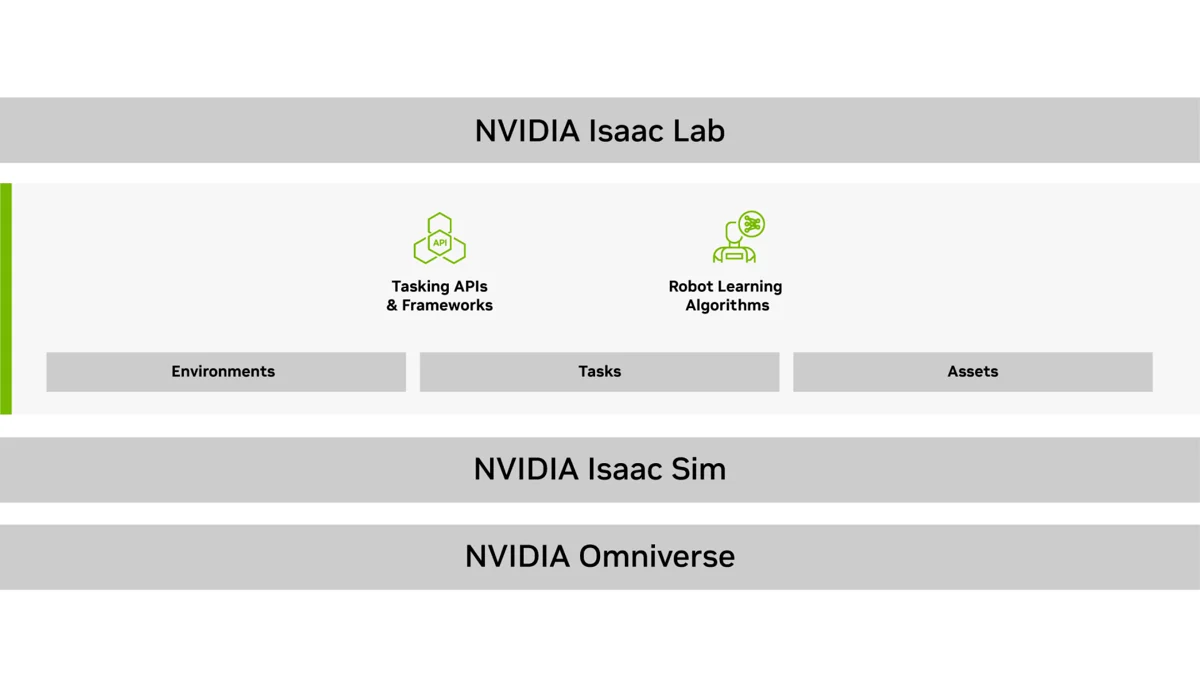
NVIDIA Isaac Lab
Trains control policies through learning.
NVIDIA Jetson Thor
Onboard execution of AI models.
NEO application
The interface designed for robot owners.
1X confirms the use of Isaac Sim, Isaac Lab and Jetson Thor in its development infrastructure.
15. How to program NEO with Python or ROS 2
We have not identified a complete public SDK allowing owners to directly command every joint of the commercial NEO.
| Technology | Availability |
|---|---|
| Mobile application | Announced |
| Voice control | Announced |
| VR teleoperation | Announced |
| Internal inference SDK | Confirmed |
| Public Python API for NEO | Unconfirmed |
| ROS 2 for commercial NEO | Unconfirmed |
| Open-source firmware | Not published |
| Direct motor control | Not publicly documented |
1X developed an inference SDK during its NVIDIA collaboration to serve model predictions in a 5 Hz vision-action loop. The SDK's existence does not establish that buyers can access it freely.
Developer resources
- Official 1X developer community: 1x.tech/discord
- 1X Technologies GitHub: github.com/1x-technologies
- NVIDIA Isaac Sim: developer.nvidia.com/isaac/sim
- NVIDIA Isaac Lab: isaac-sim.github.io/IsaacLab/
16. NEO’s complete software architecture
- Cameras and microphones
- Perception and understanding
- Redwood AI
- Action planning
- Motion generator
- RL controller
- Actuator control
- Physical movement
Inertial sensors → RL controller
Teleoperation → Action planning
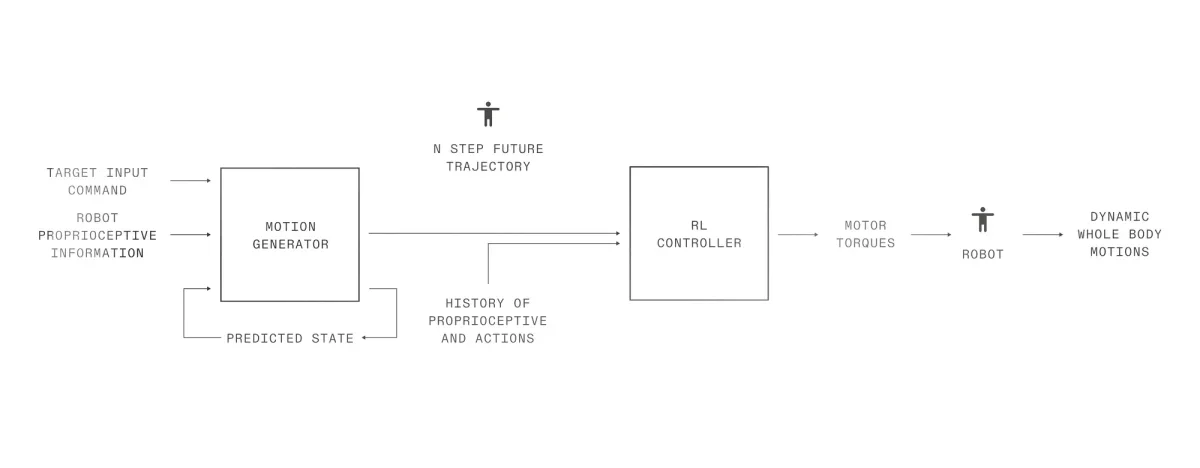
The AI model determines the intended action. The motion controller translates the action into physical movements while accounting for the robot’s balance.
17. How does NEO learn new tasks?
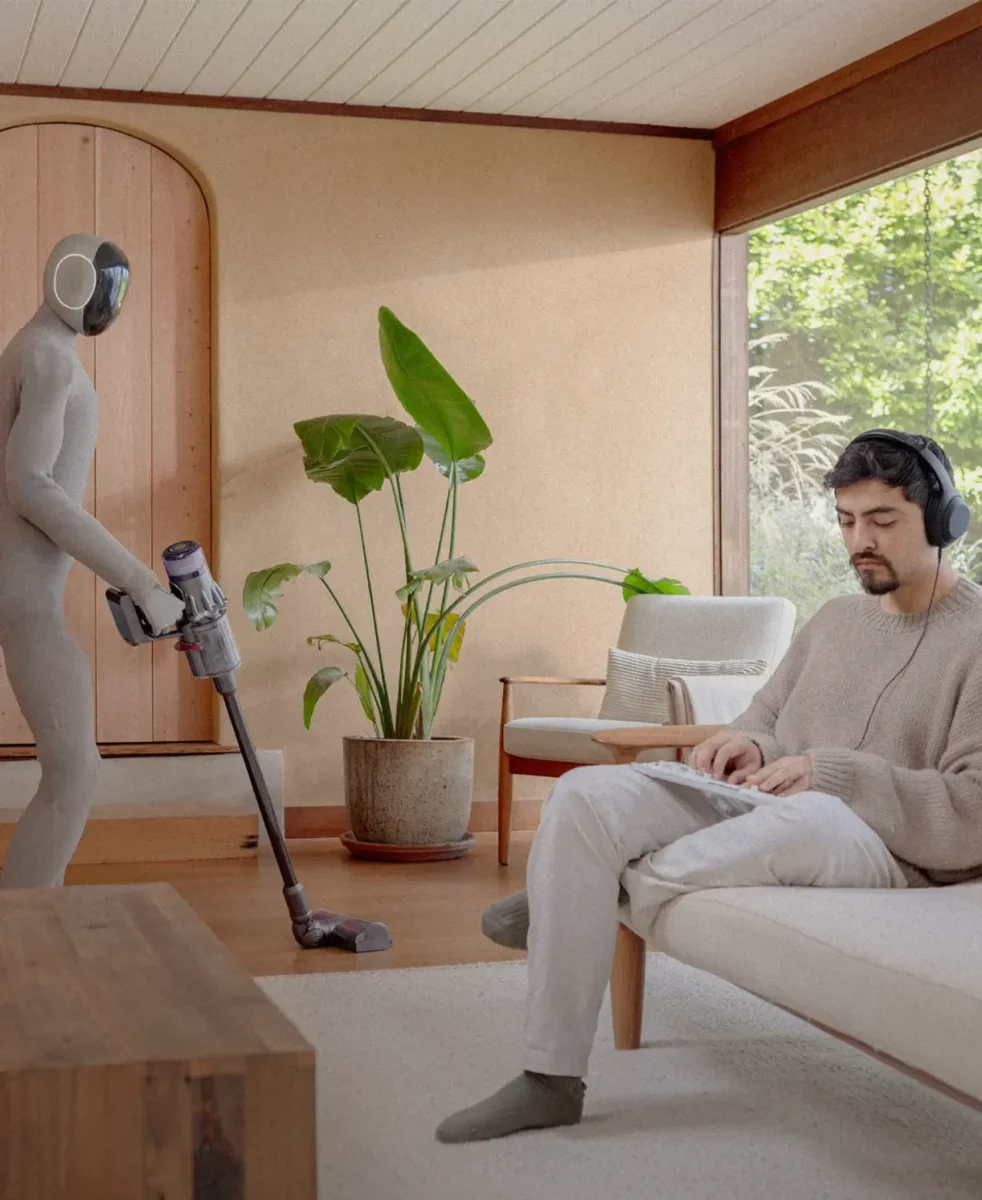
When NEO has not learned a task, the owner can schedule Expert Mode. A 1X operator can guide the robot remotely. Interaction data can contribute to learning new robotic behaviors.
- New task
- Is the task already learned?
↓
Teleoperation
↓
Data collection
↓
Model training
↓
Validation and update
After validation, learned tasks may become autonomous.
One demonstration does not guarantee that a task becomes autonomous.
18. How does NEO recharge?
NEO is designed to manage its battery and connect itself to its charger when needed.
- Capacity: 842 Wh.
- Claimed runtime: 4 hours.
- Claimed quick charge: 6 minutes for the equivalent of one hour of operation.
Actual runtime varies with movements and workload.
19. Maintenance and safety
- Inspect the hands regularly.
- Clean the cameras according to manufacturer instructions.
- Maintain the outer covering.
- Install official updates.
- Use only compatible charging equipment.
- Observe payload limits.
- Do not immerse the robot’s body in water.
Check the privacy settings associated with cameras, microphones and remote operation sessions.
20. Is NEO suitable for beginner developers?
NEO is primarily intended for people who want to use a humanoid robot at home without programming its controller.
For developers who want to create their own movements, integrate ROS 2, program joints or train locomotion policies, access to development tools needs to be verified before purchase.
NEO's hardware performance is documented. Public access to its programming interfaces remains more limited.
Official sources
- 1X NEO technical specifications - 1x.tech/neo
- 1X preorder - 1x.tech/order
- Preorder terms - 1x.tech/legal
- Redwood AI Mobility - 1x.tech/discover/redwood-mobility
- NEO Factory - 1x.tech/discover/neo-factory
- NEO Robotic Hands - 1x.tech/discover/neos-hands
- 1X and NVIDIA development stack - 1x.tech/discover/nvidia-gtc-2026
- 1X and NVIDIA research collaboration - 1x.tech/discover/1X-NVIDIA-Research-Collaboration
- 1X history - 1x.tech/about
All NEO robot photographs, product media and demonstration stills are sourced from 1X. The Isaac illustrations come from NVIDIA. The joint and gait drawings are explanatory diagrams, not robot photographs.