Published specifications for Digit 5
- Height
- 181 cmManufacturer rounded height of 1.81 m.
- Mass
- 129 kgManufacturer rounded mass; battery basis not specified.
- Battery runtime
- 90 minutesAnnounced runtime with a nine-minute charge; task workload is unspecified.
- Handling load
- 22.7 kg repeated liftEquivalent to the announced 50 lb repeated-load rating.
- Working reach
- 2.2 mMaximum reach height stated in the announcement.
Not established for this configuration: Actuated joints.
Hardware and components
- Actuation
- Cycloidal actuators and redesigned legs.
- Sensing
- Onboard cameras, depth sensors and IMUs.
- End effectors
- Swappable grippers with ISO mounting flanges.
- Safety control
- Independent controller for responses to nearby people.
- Planned compute
- On 22 October 2026 Agility announced NVIDIA IGX Thor for general-availability Digit 5 and continued work with NVIDIA Halos safety components.
Control and operating conditions
Agility Arc coordinates fleets and warehouse systems. Features remain in development; announced workflows need site-specific validation.
Ordering and access
Agility plans early access in the first half of 2027 and general availability by the end of 2027. A fixed public price is not given.
Manufacturer and development
Agility grew from Oregon State University’s Dynamic Robotics Lab. Jonathan Hurst is co-founder and Chief Robot Officer. The company identifies Salem for RoboFab assembly, Fremont for hardware and Physical AI development and Pittsburgh for testing and validation.
Questions specific to Agility Robotics Digit 5
What should a logistics evaluation measure?
Record grip setup, cycle time, charging interruptions, successful lifts and interventions under the actual warehouse duty cycle.
Agility Digit 5: Complete Guide to Buying, Operating and Programming the Humanoid Robot
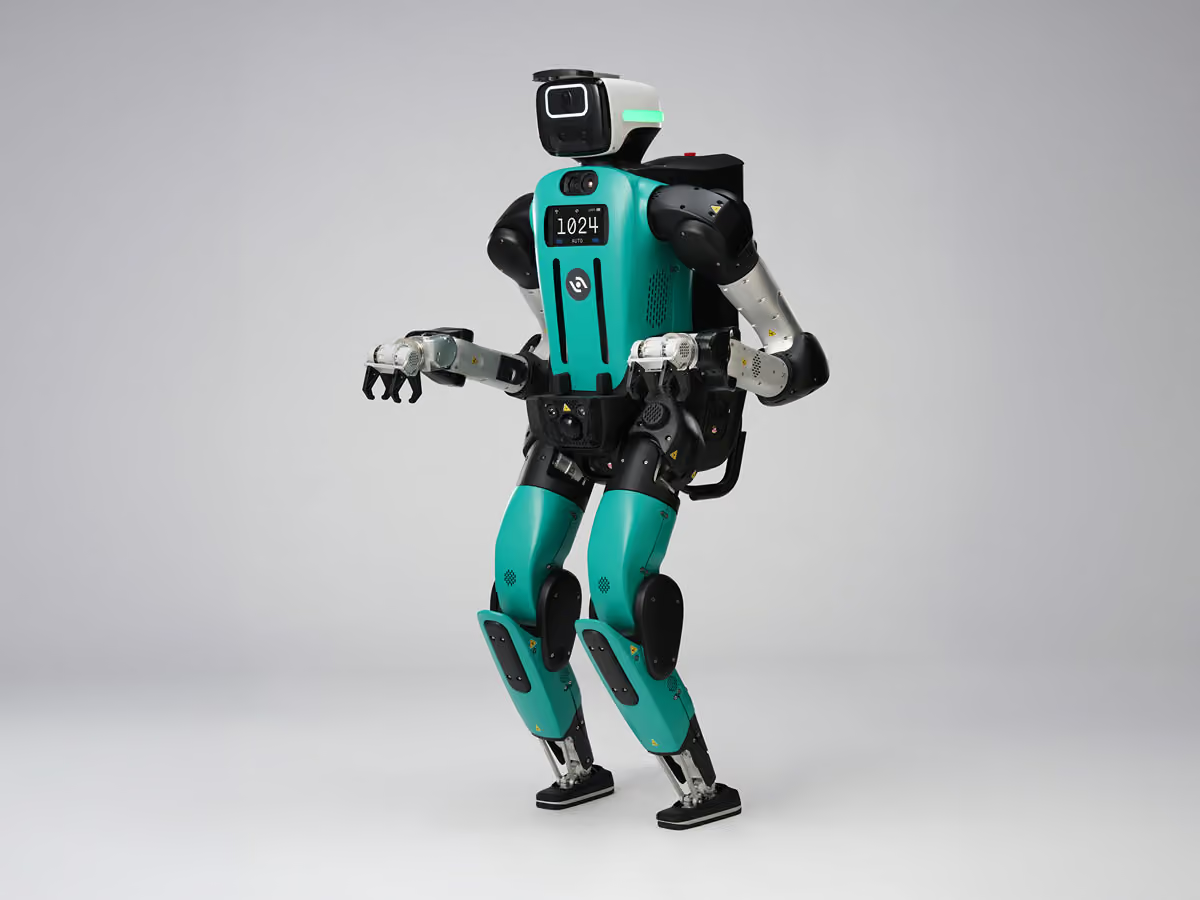
1. What is Agility Digit 5?
Digit 5 is the fifth-generation humanoid robot developed by Agility Robotics in the United States. Unveiled on September 15, 2026, it is designed to perform physical tasks in warehouses, distribution centers and manufacturing facilities.
Its redesigned legs support heavier loads while interchangeable grippers allow it to handle different objects and industrial equipment.
Digit 5 remains under development as of November 17, 2026. Its specifications may change before commercial deliveries.
2. Who created Digit?

Jonathan Hurst
Co-founder and Chief Robot Officer. Robotics researcher specializing in bipedal locomotion and mechanical design.

Damion Shelton
Co-founder and former CEO of Agility Robotics.

Mikhail Jones
Co-founder involved in the company's early robotics research and development.

Peggy Johnson
CEO since March 2024. Previously held executive positions at Microsoft and Qualcomm.
Agility Robotics was founded in 2015 following research conducted at Oregon State University's Dynamic Robotics Laboratory.
Robot evolution
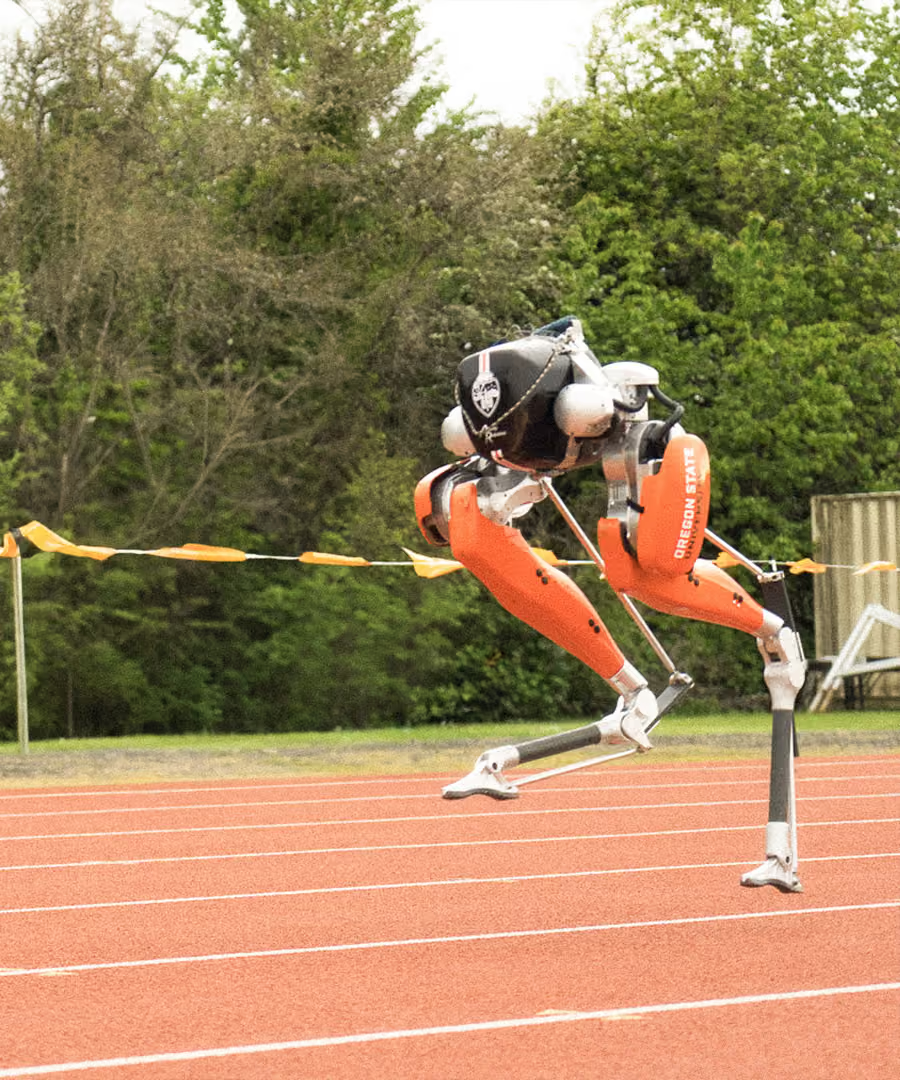
2017 · Cassie
Bipedal research platform for studying walking, running and dynamic balance.
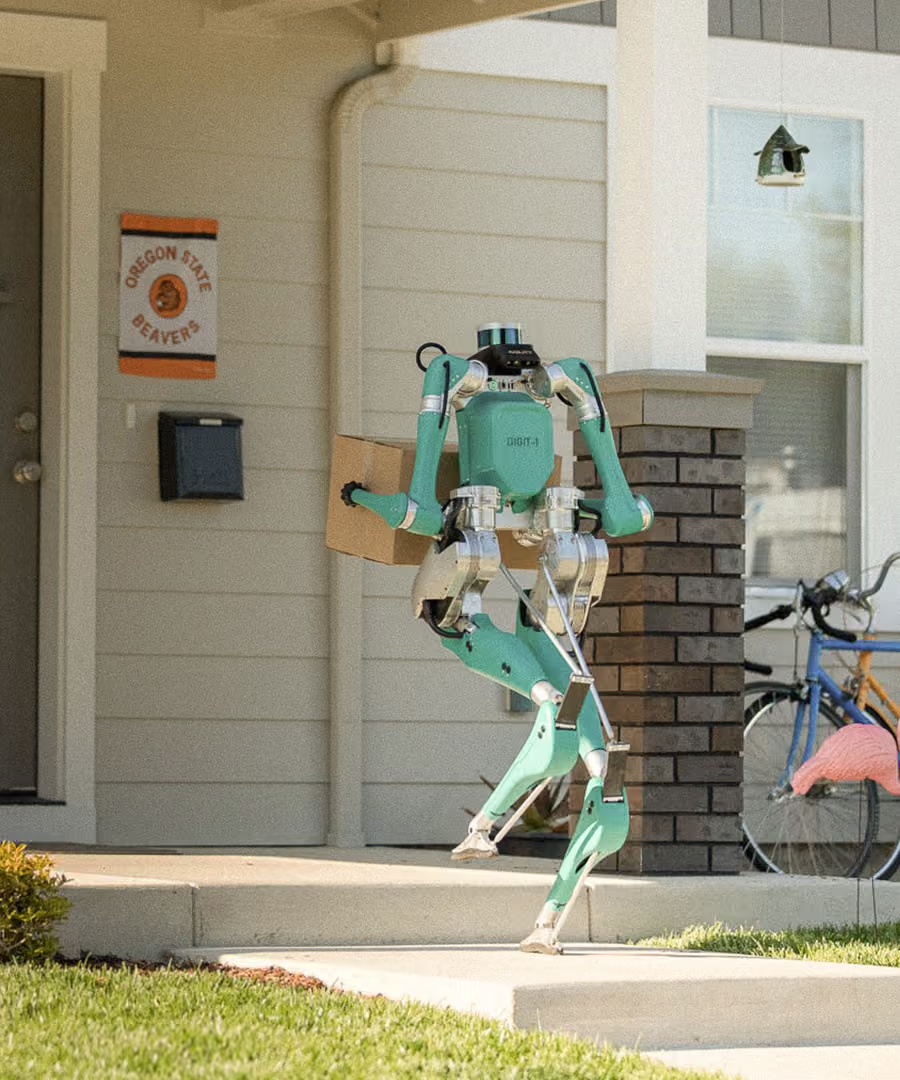
2019 · Digit
Introduced arms and manipulation capabilities to the bipedal platform.
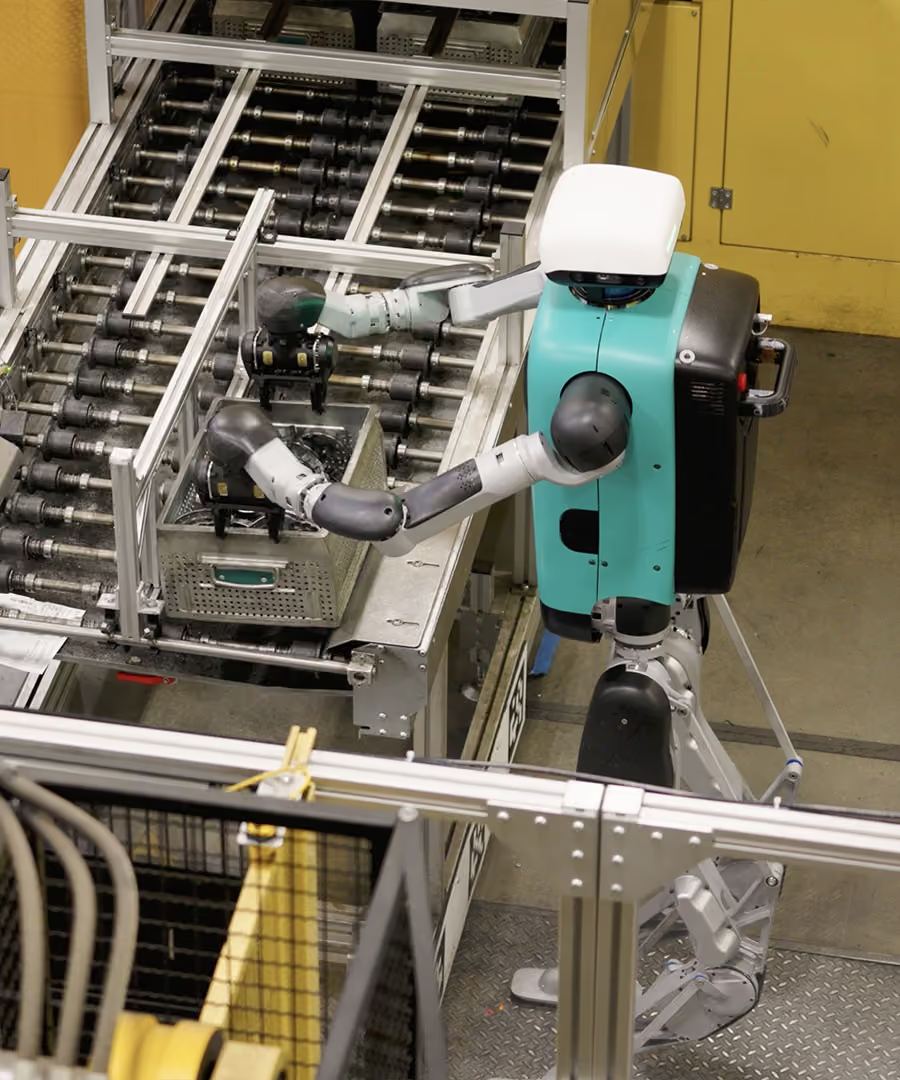
Digit 4
Commercial industrial humanoid used for warehouse material handling.
2026 · Digit 5
Redesigned industrial platform with increased payload and cooperative safety systems.
Historical and leadership images: Agility Robotics; Mikhail Jones portrait: aVenture Research profile. The earlier robot images are identified separately from Digit 5.
3. Complete technical specifications
| Specification | Digit 5 |
|---|---|
| Manufacturer | Agility Robotics |
| Country | United States |
| Height | 1.81 m |
| Weight | 129 kg |
| Repeated lifting capacity | 22.7 kg |
| Maximum reach | 2.2 m |
| Battery runtime | 90 minutes |
| Charging time | 9 minutes |
| Actuators | Cycloidal actuators |
| End effectors | Interchangeable grippers |
| Onboard computing | NVIDIA IGX Thor |
| Fleet management | Agility Arc |
| Degrees of freedom | Undisclosed |
| Maximum running speed | Undisclosed |
| Public purchase price | Undisclosed |
The onboard computing platform was confirmed by Agility Robotics on October 22, 2026.
4. How does Digit 5 work?
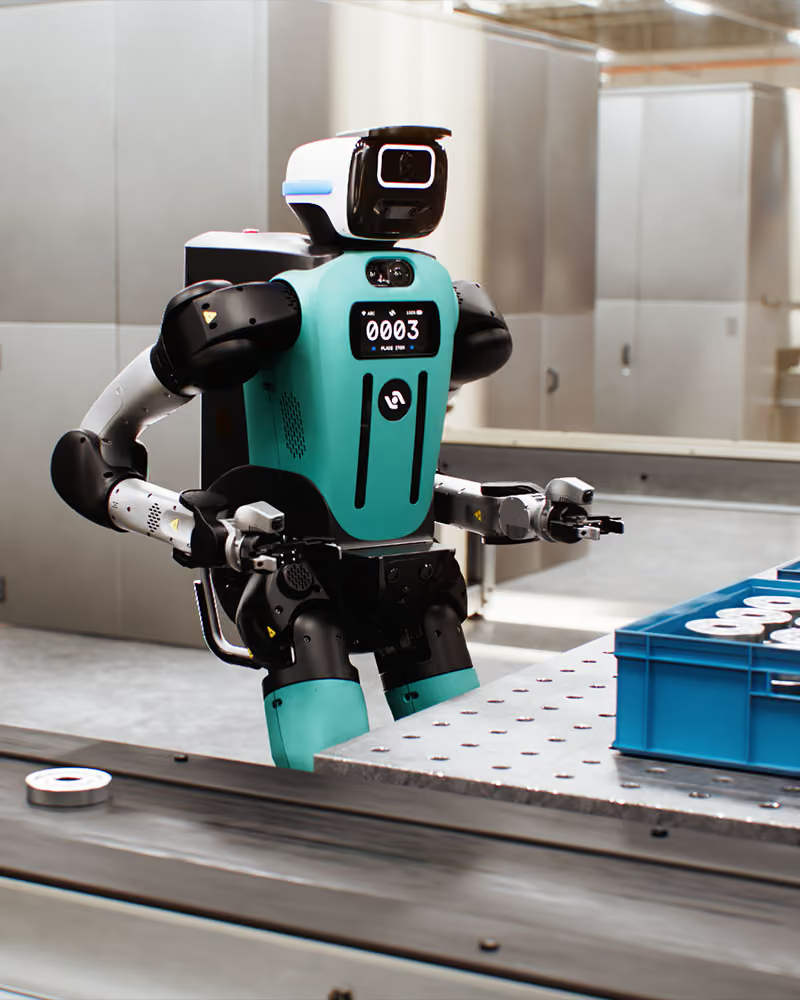
Digit combines environmental perception, motion planning, balance control and physical manipulation.
- Cameras and sensors
- Environmental perception
- Motion planning
- Whole-body controller
- Motor commands
- Legs and arms
- Sensor feedback
↺ Sensor feedback returns to the whole-body controller.
The robot estimates its position, detects obstacles, determines where to place its feet and adjusts its joints to maintain stability while moving objects.
An independent safety controller monitors conditions that may require the robot to stop or adopt a safer position.
5. What is inside Digit 5?
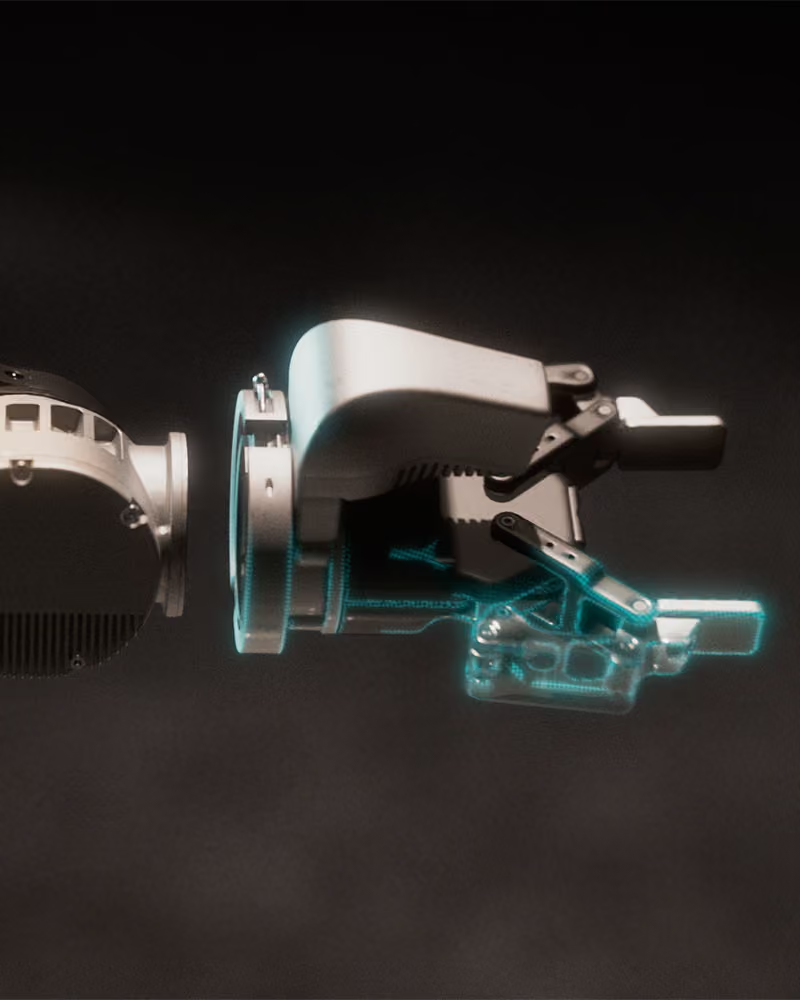
Cycloidal actuators
Produce the joint torque required for walking, lifting and maintaining balance.
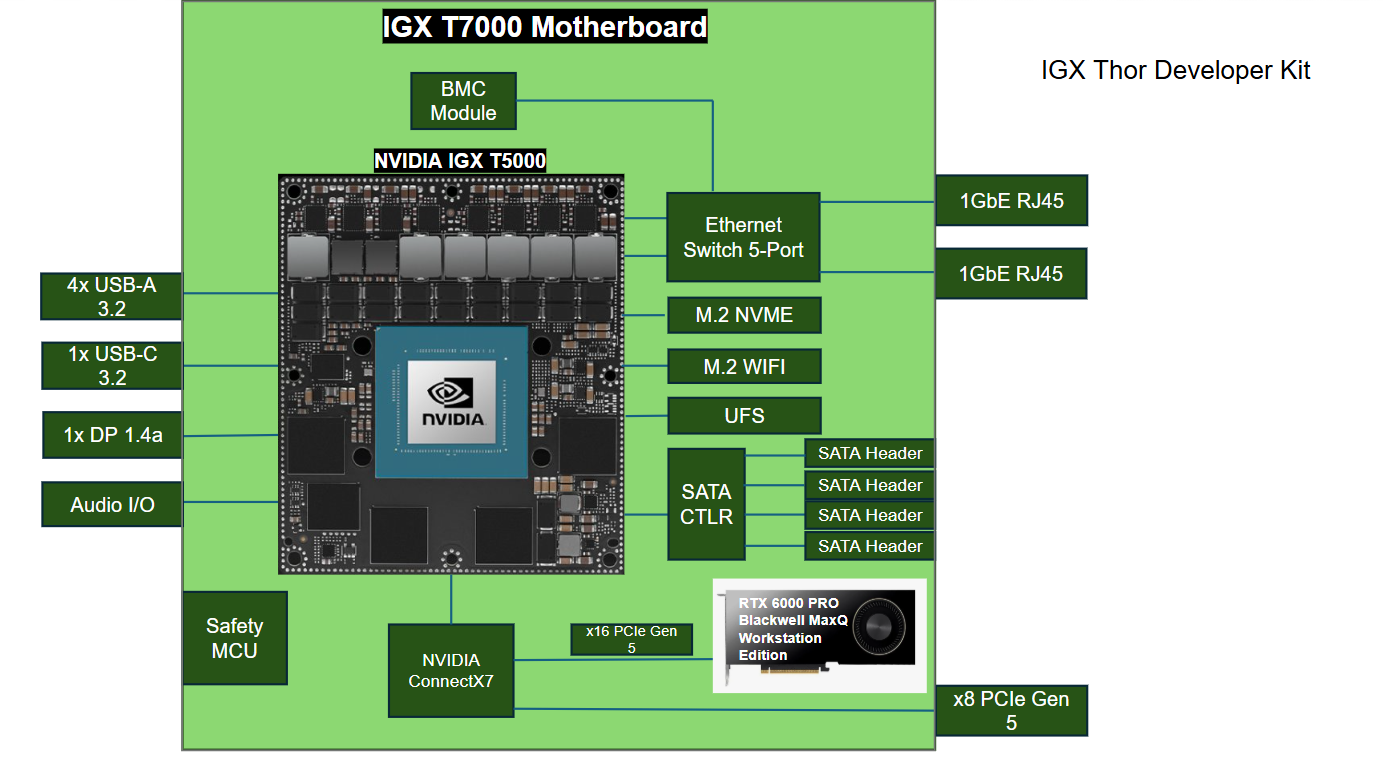
NVIDIA IGX Thor
Onboard computing platform for perception, robotics AI and safety-related processing.
NVIDIA developer kit illustration; the installed robot configuration may differ.
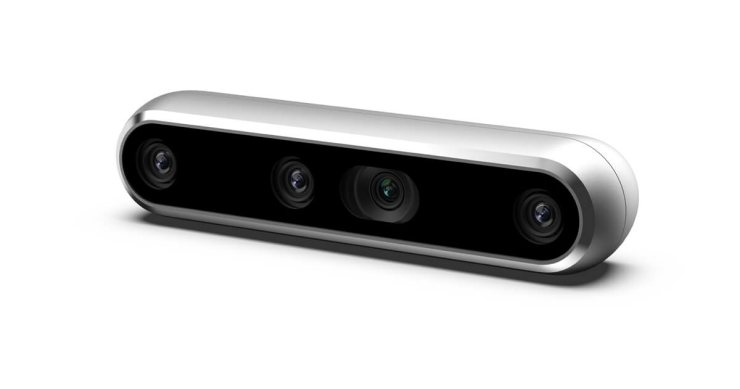
Perception sensors
Capture visual and depth information for navigation and object detection.
Example depth camera hardware (RealSense); Digit 5's exact camera model is not confirmed.
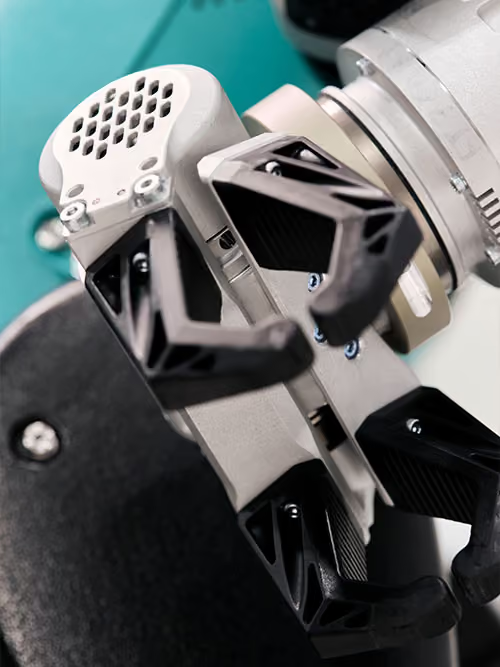
Interchangeable grippers
Different tools can be fitted for specific manipulation tasks using standardized mounting interfaces.
6. How long can Digit 5 work?
Agility announces 90 minutes of operation followed by nine minutes of autonomous charging.
Announced run-to-charge ratio 10:1
Agility targets more than 20 productive hours during a 24-hour period. Actual operating time will depend on workload and deployment conditions.
7. How much does Digit 5 cost?
Agility Robotics has not published an official individual purchase price for Digit 5.
The company offers enterprise commercial arrangements that can include:
- Robots as a Service (RaaS)
- Deployment and integration
- Software subscriptions
- Maintenance
- Technical support
Its November 2026 regulatory filing also discloses an approximately $500,000 participation fee for its Customer Acceleration Program.
This is the enterprise evaluation program fee, not the purchase price of one Digit 5 robot.
8. How to order Digit 5
Agility Digit 5
Pre-commercial development
Pricing available through commercial enquiries.
Early access: first half of 2027.
Contact Agility Robotics through its official sales page or product page.
The ordering process involves submitting a commercial enquiry, explaining your intended application and discussing deployment requirements with Agility's team.
- Contact Agility Robotics
- Define intended application
- Technical and commercial evaluation
- Commercial agreement
- On-site validation
- Pilot deployment
- Commercial operation
General availability is expected by the end of 2027. Initial international expansion is planned for the European Union and United Kingdom alongside North America.
Availability in Morocco has not been confirmed.
9. What equipment do you need?
| Equipment | Purpose |
|---|---|
| Digit 5 robot | Physical operation |
| Approved charging dock | Battery charging |
| Industrial Wi-Fi | Robot communications |
| Computer | Monitoring and workflow management |
| Agility Arc account | Deployment and supervision |
| Approved safety equipment | Personnel protection |
| Compatible grippers | Object manipulation |
| Technical documentation | Operation and maintenance |
For its current industrial deployments, Agility specifies a 208–240 V AC, 25 A electrical connection for a charging dock and an indoor operating temperature between 0°C and 35°C.
Digit 5-specific installation requirements should be confirmed with the manufacturer.
10. How to start Digit 5
The manufacturer has not released a public Digit 5 startup manual.
A supervised industrial commissioning process would generally involve:
- Installing the approved charging equipment.
- Preparing the operating area.
- Inspecting the robot and its grippers.
- Charging the battery.
- Configuring network connectivity.
- Registering the robot in the authorized software environment.
- Validating safety functions.
- Mapping the workplace.
- Configuring the intended tasks.
- Performing supervised operational tests.
Agility handles initial setup and deployment with its customers. The precise power-on and startup sequence must follow its model-specific instructions.
11. How to make Digit walk
Walking requires continuous coordination between the robot's joints, feet and balance controller.
- Walking command
- Desired velocity and direction
- Footstep planning
- Balance estimation
- Joint controller
- Actuators
- Foot contact and body feedback
↺ Foot contact and body feedback return to balance estimation.
There are three important elements:
- Foot placement determines where the next step should land.
- Balance control regulates body position and orientation.
- Joint control generates the movements and torque required for each step.
For commercial operation, Digit navigates automatically within configured workflows.
For custom walking research, developers would need access to supported locomotion interfaces and authorization from Agility Robotics.
There is currently no publicly documented Digit 5 walking command that independent developers can execute on the physical robot.
12. How to make Digit 5 run
Running requires a motion controller capable of managing greater accelerations, impact forces and dynamic instability.
A research development process would include:
- Obtaining an accurate simulation model.
- Developing a locomotion policy.
- Training the policy at different commanded velocities.
- Testing balance and foot contact.
- Measuring actuator loads.
- Validating simulated falls and disturbances.
- Obtaining approval for controlled physical testing.
Digit 5 weighs 129 kg. Running experiments cannot safely be treated as ordinary software commands.
Agility has not published a maximum running speed or publicly documented running mode for Digit 5.
13. How to make Digit 5 dance
Dancing requires coordinated whole-body motion and continuous balance management.
Developing a dance for a humanoid robot generally involves recording human movements, converting them into robot-compatible joint trajectories and testing the resulting movements in simulation.
- Human motion capture
- Motion retargeting
- Robot joint trajectories
- Physics simulation
- Balance and safety validation
- Authorized hardware testing
Tools that could be used for developing simulated choreography include Blender, motion capture systems, Python and physics simulators.
However, Digit 5 does not currently have a publicly documented dance editor or consumer-accessible choreography SDK. Physical execution would require manufacturer-supported control access.
14. What software does Digit use?
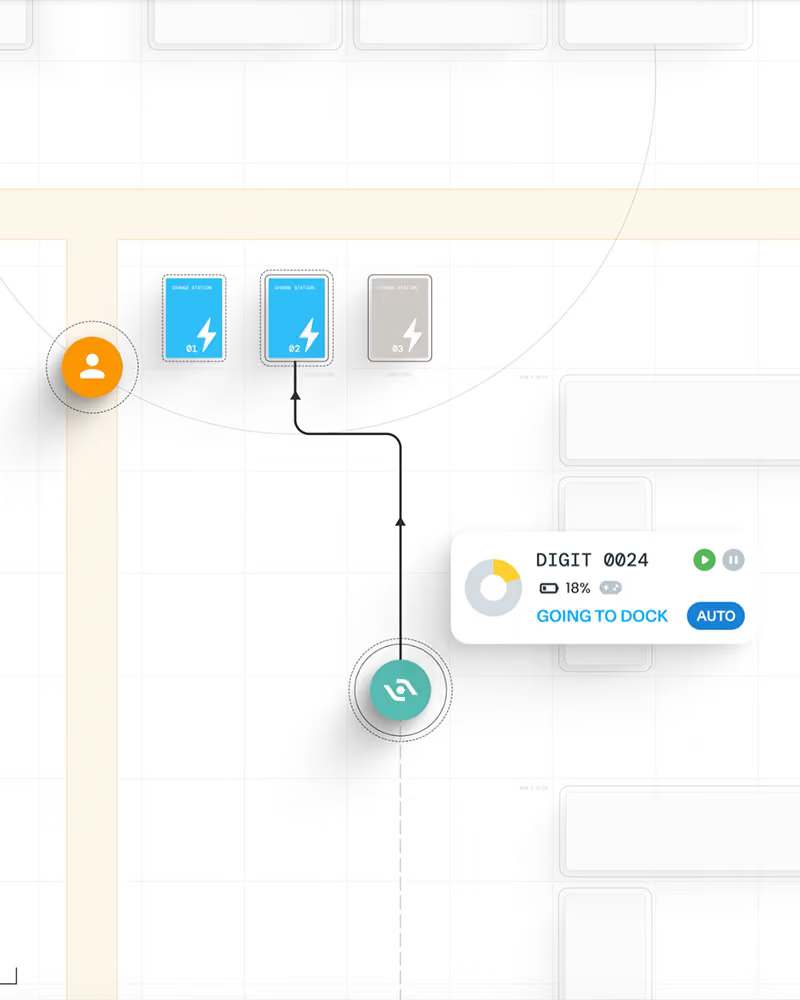
Agility Arc
Agility Arc is the manufacturer's cloud-based platform for managing Digit robots.
Its functions include:
- Fleet supervision
- Facility mapping
- Workflow configuration
- Performance monitoring
- Battery monitoring
- Remote diagnostics
- Software updates
- Warehouse system integration
It provides operational access rather than unrestricted joint-level programming.
Software architecture
- Warehouse management system
- Agility Arc
- Task coordination
- Onboard physical AI
- Motion controller
- Digit hardware
- Operational data
Independent safety controller → Motion controller
↺ Operational data returns to Agility Arc.
Software and development tools
| Software | Application |
|---|---|
| Agility Arc | Official fleet management |
| NVIDIA IGX Thor | Onboard computing |
| NVIDIA Halos | Safety technology integration |
| AR-Control | Earlier Digit research control software |
| Python | Robotics research and AI development |
| C++ | Robotics control development |
| MuJoCo | Physics simulation |
| ROS / ROS 2 | Experimental robotics integration |
| PyTorch | Neural network training |
| Blender | Motion and animation preparation |
Python, ROS 2, PyTorch and Blender should be considered research tools. Agility has not confirmed unrestricted compatibility with commercial Digit 5 hardware.
15. How to start programming Digit without buying one
The Oregon State University robotics laboratory provides an open-source research repository named Roadrunner.
Roadrunner
Oregon State University Dynamic Robotics Laboratory. Simulation and reinforcement learning research for Cassie and earlier Digit models.
GitHub repository: github.com/osudrl/roadrunner
Step 1: Download the research repository
Install Git and Miniconda on a compatible Linux development environment.
git clone https://github.com/osudrl/roadrunner.git
cd roadrunner
Step 2: Install the dependencies
chmod +x setup.sh
bash setup.sh
The repository's setup script installs its required Python dependencies and MuJoCo.
Step 3: Test the simulator
python test.py --simStep 4: Test the training environments
python test.py --envStep 5: Start reinforcement learning research
python run_ppo.pyThe repository contains locomotion environments, policy training algorithms and evaluation tools.
Some functionality requires proprietary Agility software supplied to authorized customers. This repository supports earlier Digit research models and should not be mistaken for an official Digit 5 SDK.
16. What tasks can Digit 5 perform?
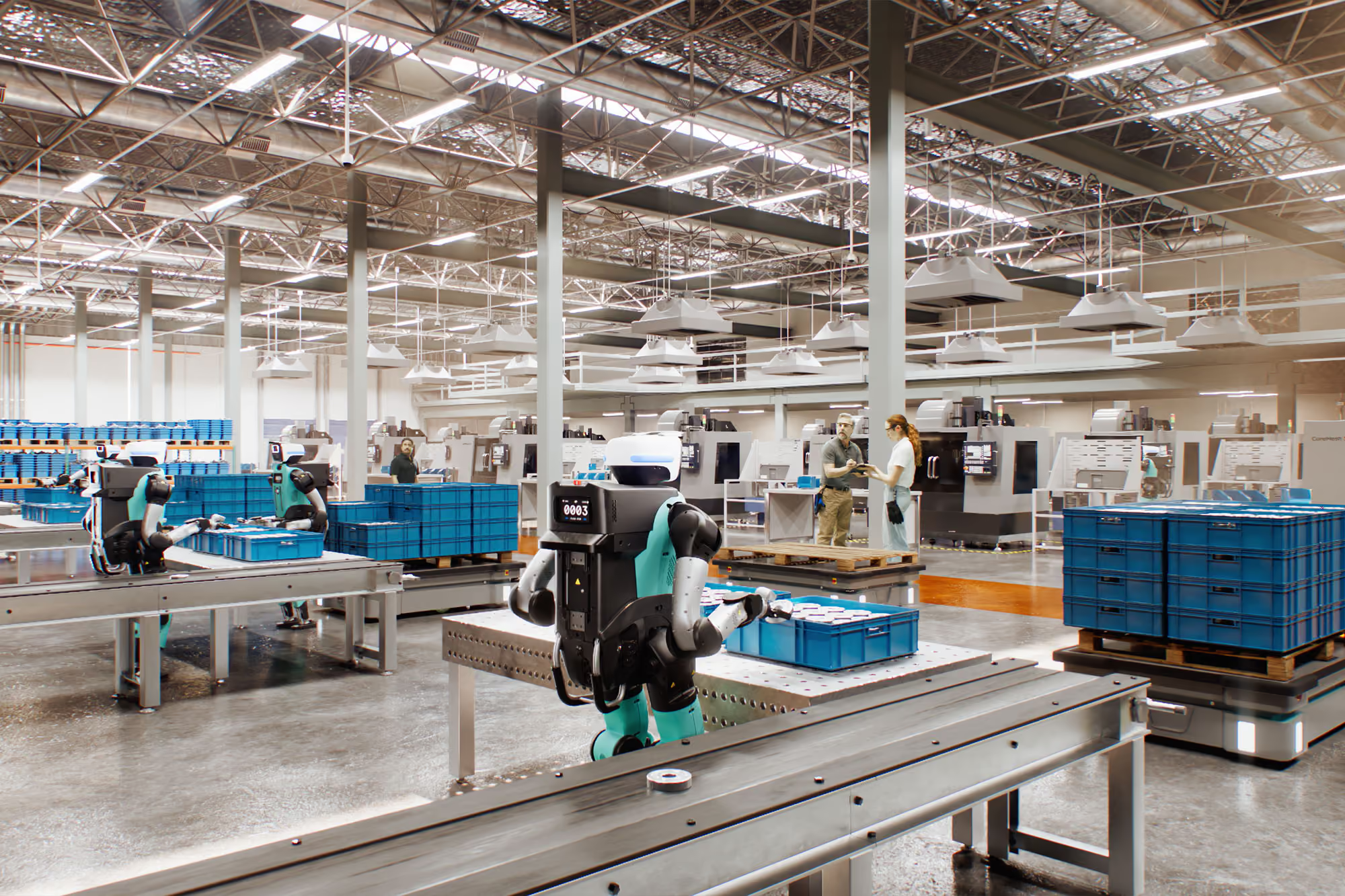
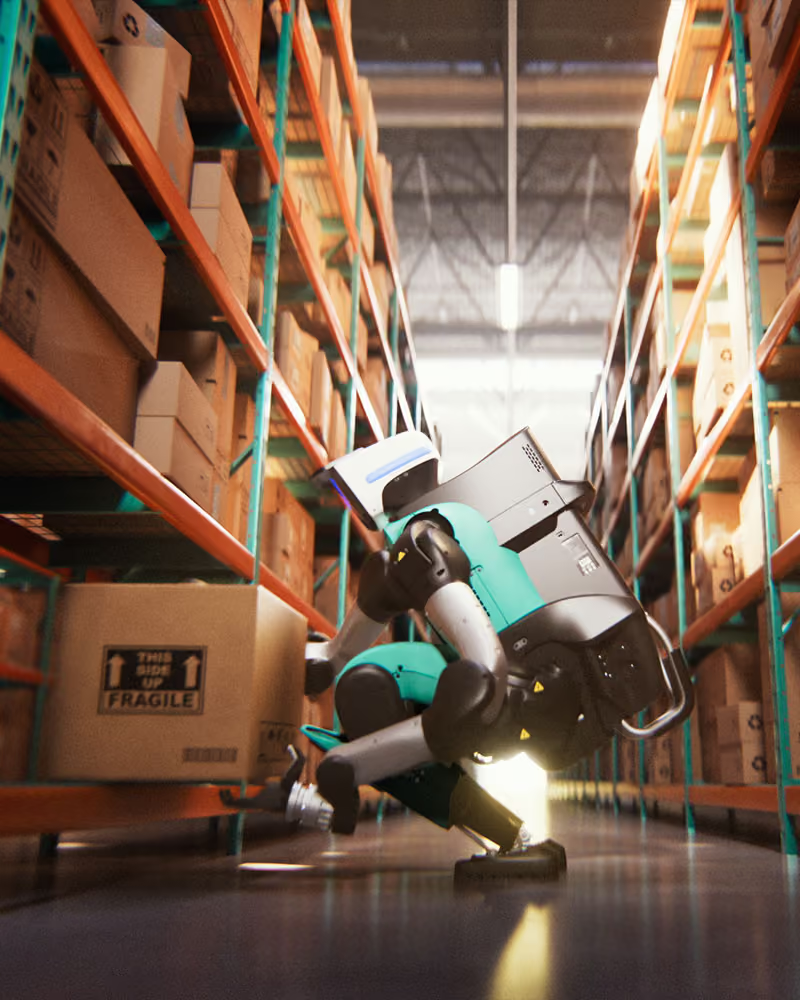
Additional target applications include palletizing, depalletizing, component delivery, production sequencing and quality inspection.
These are announced Digit 5 application targets. Some are still being developed and validated.
17. Is Digit 5 open source?
Digit 5 is a proprietary commercial humanoid robot.
| Resource | Availability |
|---|---|
| Complete mechanical CAD | Not publicly released |
| STL manufacturing files | Not publicly released |
| Motor firmware | Proprietary |
| Official Digit 5 SDK | No public release verified |
| Earlier Digit research code | Partially available |
| Agility Arc | Commercial access |
| Physical robot control | Manufacturer-authorized access |
Independent developers can study earlier Digit models in simulation today. Full control of Digit 5 hardware remains subject to Agility Robotics' commercial and technical access policies.
Guide sources and verification
Agility Robotics: Digit 5 announcement (September 15, 2026); product page; company overview; NVIDIA collaboration announcement (October 22, 2026); official FAQ; Agility Arc announcement; and Form S-1/A filed November 16, 2026. Oregon State University Dynamic Robotics Laboratory: Roadrunner research repository. Manufacturer images and illustrations are identified as such. Conceptual diagrams explain general control relationships and do not disclose proprietary architecture.