Published specifications for GR-3
- Height
- 164.2 cmTechnical table gives 1642 mm; the introductory text rounds to 165 cm.
- Mass
- About 71 kgListed net weight; battery inclusion is not explicit.
- Actuated joints
- 55 including optional hands31 body joints plus two 12-DOF hands.
- Battery runtime
- About 3 hManufacturer estimate; workload unspecified.
- Handling load
- About 3 kg per armSingle-arm rating.
- Reported speed
- 6.1 km/hPublished walking speed.
Hardware and components
- Power
- 702 Wh and 234 Wh packs; hot swapping is supported.
- Compute and OS
- AMD Ryzen 7 8845HS running Ubuntu 22.04.
- Sensors
- Monocular camera, six-axis IMU, tactile head and torso sensors, absolute encoders.
- Interaction
- Microphones supplement body touch sensing and vision.
Control and operating conditions
Fourier documents immersive VR or exoskeleton teleoperation and voice interaction. This source does not quantify autonomous caregiving performance.
Ordering and access
Technical documentation is public. Confirm sales availability, configuration, price and delivery with Fourier.
Manufacturer and development
Alex Gu founded Fourier in 2015 around rehabilitation robotics. Its humanoid program began in 2019, followed by GR-1 in 2023 and GR-3 in August 2025.
Questions specific to Fourier GR-3
How should an interaction trial be designed?
Identify the fitted optional hands, software behavior and pack-change procedure. Record supervised task completions, interventions and the workload behind the runtime claim.
Fourier GR-3: Complete buying, setup and programming guide
A complete beginner guide to buying, starting, operating, walking, running, dancing and programming the Fourier GR-3. Information reviewed November 17, 2026.
1. What is Fourier GR-3?
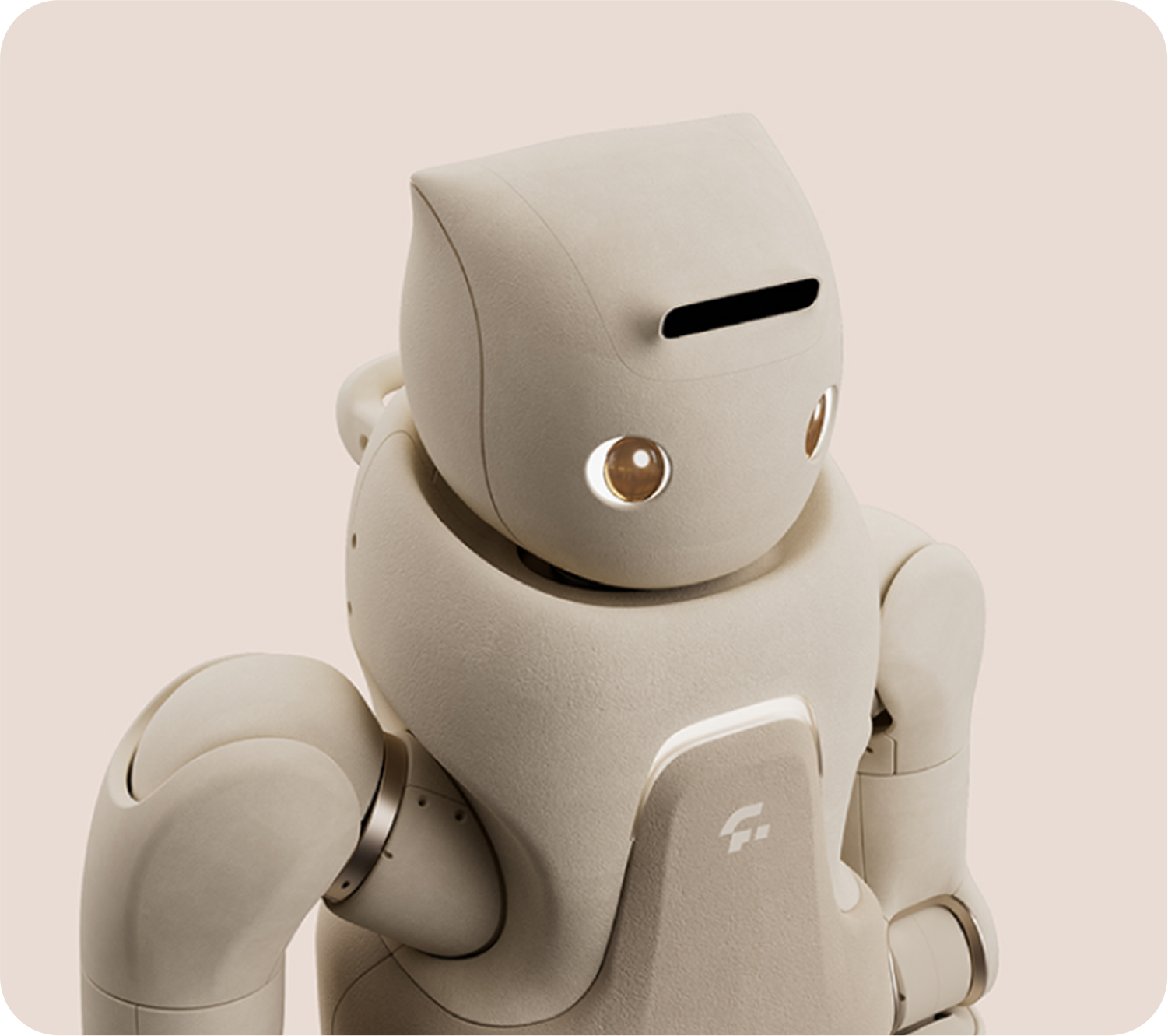
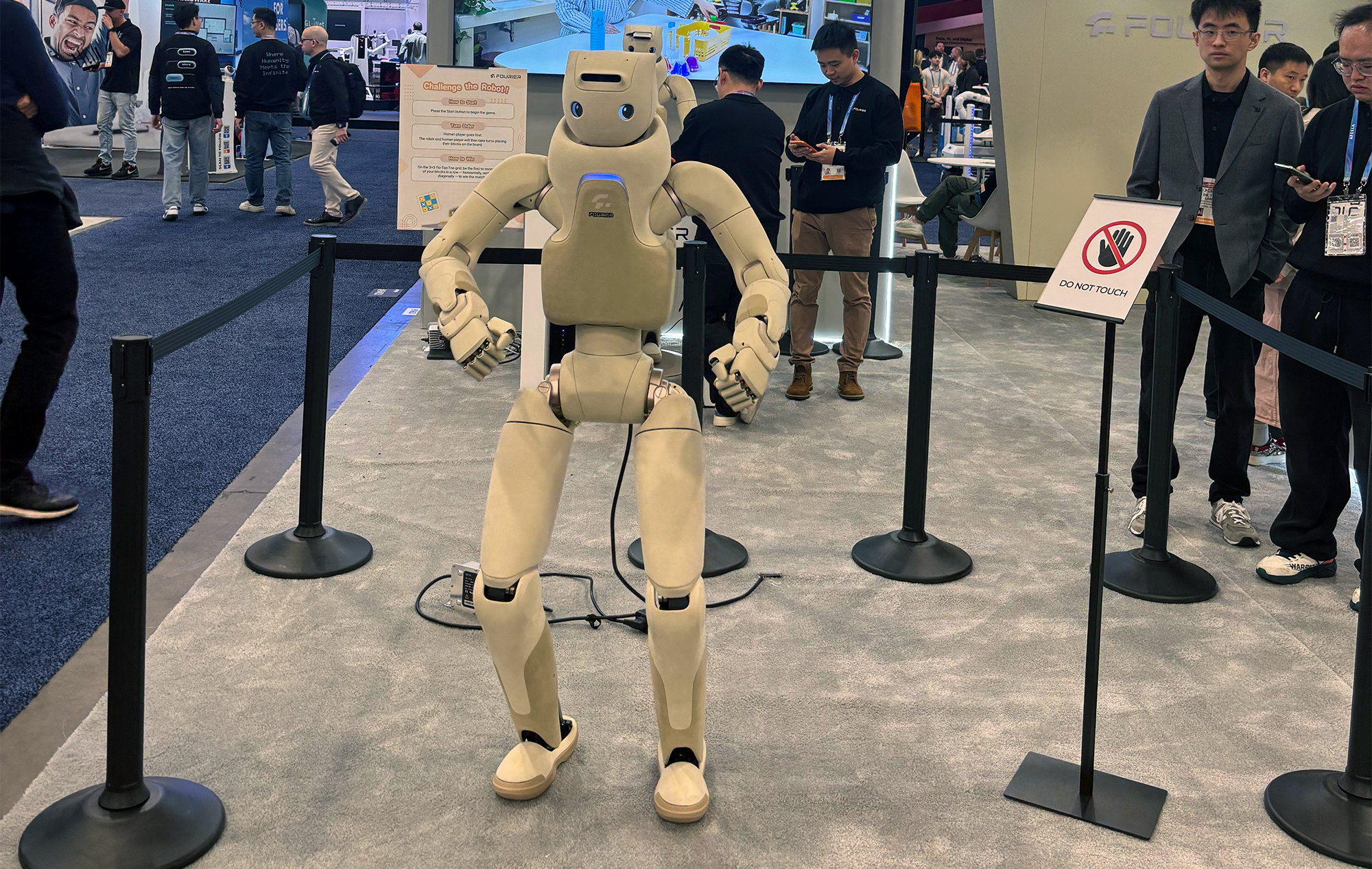
GR-3 is an electric bipedal humanoid developed by Fourier for interaction, social companionship, research and public service applications. Fourier calls it a Care-bot.
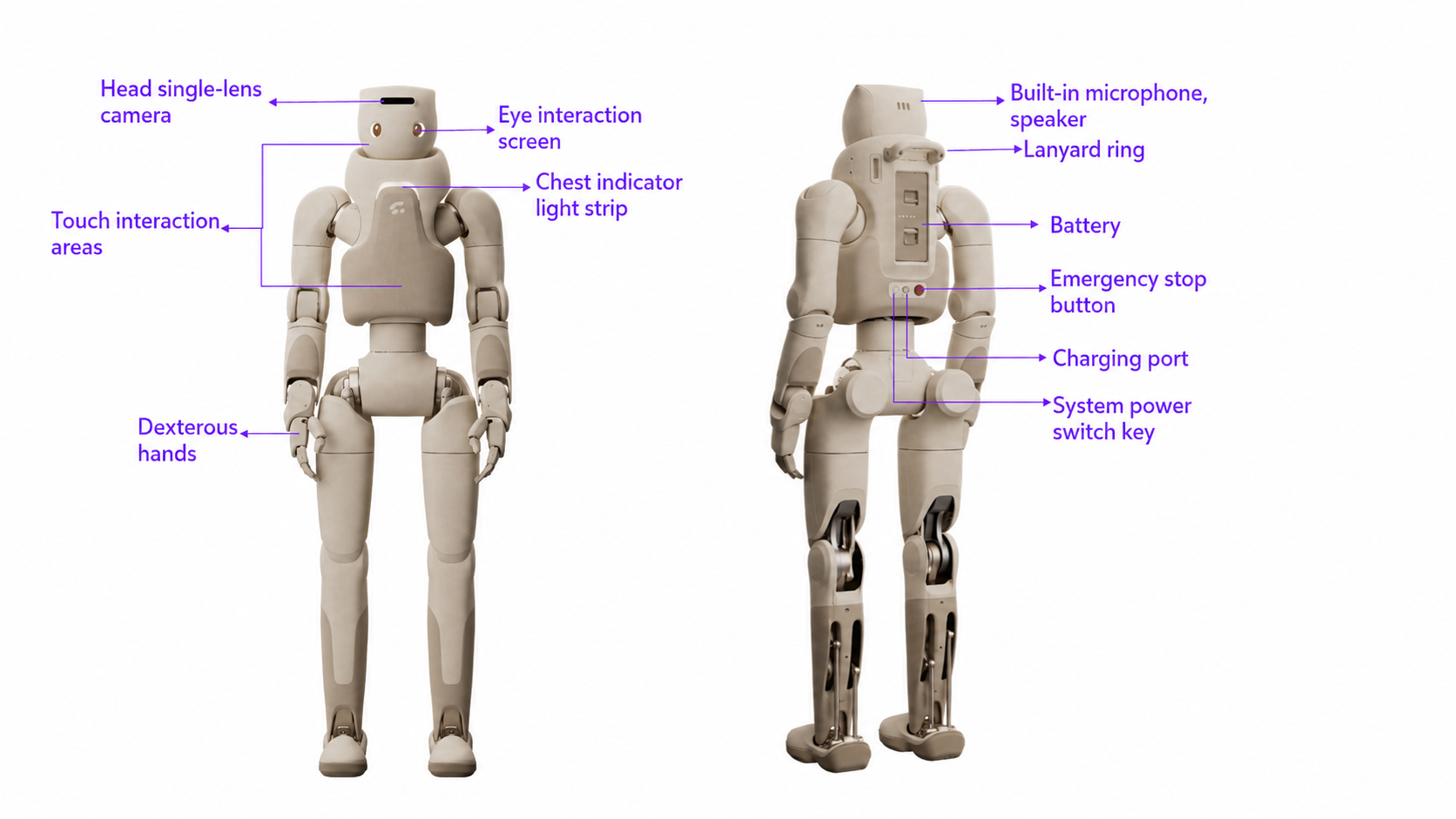
Its soft outer covering is designed for close interaction. A monocular camera, microphones with sound-source localization and tactile sensors help it respond to people. Its 31 body joints and two optional 12-DOF dexterous hands give it up to 55 degrees of freedom.
2. Who created Fourier GR-3?
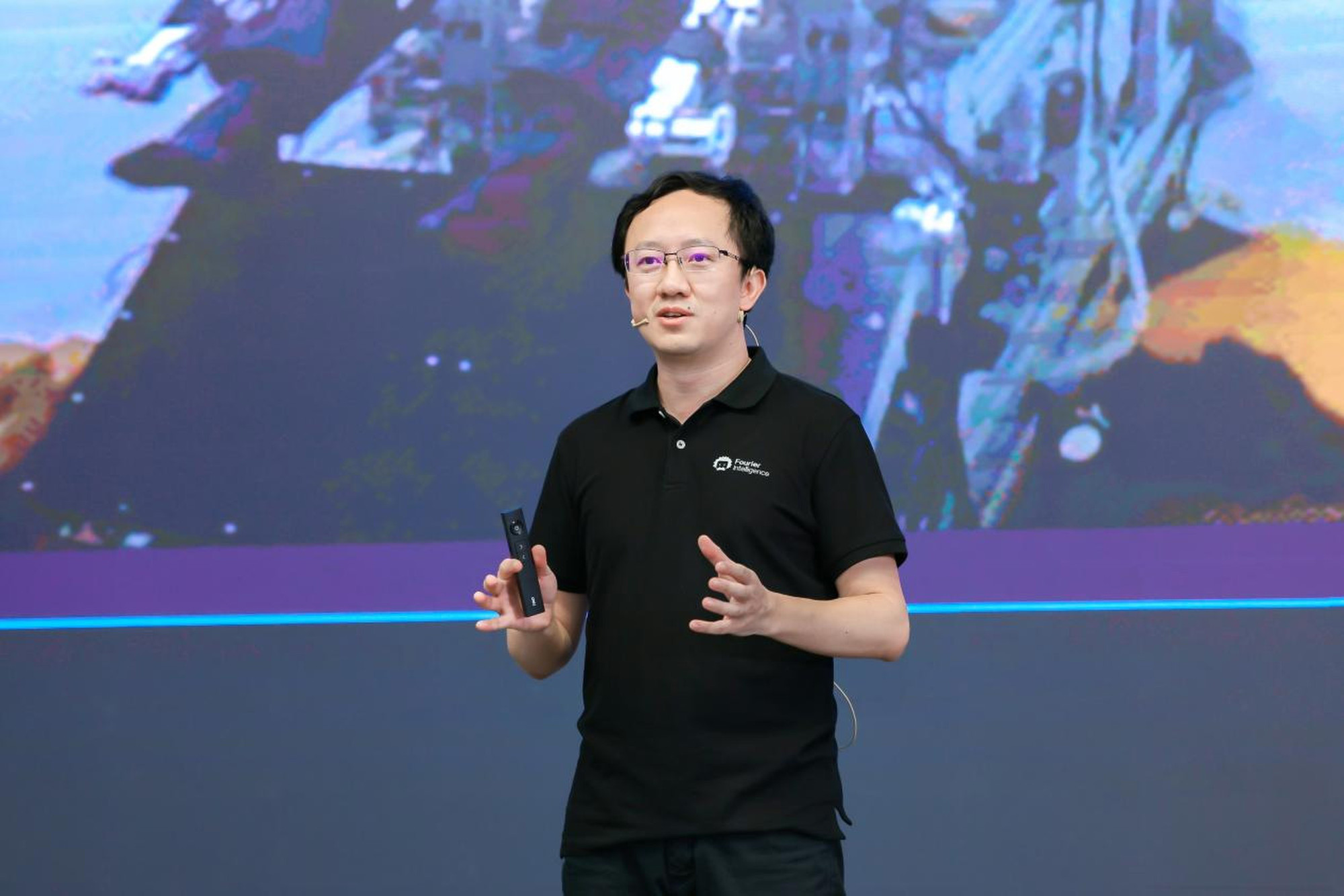
Alex Gu founded Fourier Intelligence in Shanghai, China, in 2015. The company started in rehabilitation robotics and began its humanoid program in 2019. GR-1 appeared in 2023. Fourier introduced GR-3 on August 6, 2025 and presented it at CES in January 2026.
3. Technical specifications
| Specification | Manufacturer value |
|---|---|
| Height | 164.2 cm |
| Weight | Approximately 71 kg |
| Degrees of freedom | Up to 55 with optional hands |
| Arm joints | 7 per arm |
| Leg joints | 6 per leg |
| Waist joints | 3 |
| Head joints | 2 |
| Peak joint torque | 440 Nm |
| Single-arm payload | Approximately 3 kg |
| Walking speed | 6.1 km/h |
| Runtime | Approximately 3 hours |
| Charge time | Approximately 1.5 hours |
| Processor | AMD Ryzen 7 8845HS |
| Operating system | Ubuntu 22.04 |
| Network | Ethernet and Wi-Fi 6 |
| Maximum walking gradient | 15° |
The two lithium-ion battery packs have capacities of 702 Wh and 234 Wh. Their weights are 3.8 kg and 1.3 kg. Nominal voltage is 46.8 V and the charging voltage limit is 54.6 V. Fourier supports hot-swapping. Actual runtime varies with use.
Official robot overviewhttps://support.fftai.com/en/gr3/getting-started/general-information
4. How much does Fourier GR-3 cost?
The RBTX Morocco listing showed a price of 2,638,570.63 MAD excluding VAT and shipping, with an indicative lead time of three weeks. This is a reseller listing, not a confirmed manufacturer retail price or guaranteed stock. Request a current quotation before ordering.
RBTX Morocco product listinghttps://rbtx.ma/fr-FR/components/humanoid/fourier-gr3-humanoid-robot-care-bot
5. How to buy and order GR-3
Contact Fourier directly or ask the Moroccan RBTX supplier for a written quote. Fourier lists generalrobot@fftai.com for general robotics inquiries.
Fourier official websitehttps://www.fftai.com/
Ask whether the supplied unit has the six-DOF or optional 12-DOF hands, the Aurora SDK, the official controller, batteries and charger. Confirm technical support, warranty, spare parts, remote support and commissioning training before paying.
6. How the robot perceives its environment
| Component | Role |
|---|---|
| Monocular camera | Visual perception |
| 360° microphone array | Sound pickup and localization |
| Head and torso tactile sensors | Contact detection |
| Six-axis IMU | Acceleration and angular velocity |
| Joint encoders | Joint feedback |
| 15 W adjustable speaker | Voice output |
Fourier describes a full-sense interaction system combining sight, hearing and touch. This does not establish autonomous medical assistance or unattended caregiving capability.
7. Equipment and tools needed
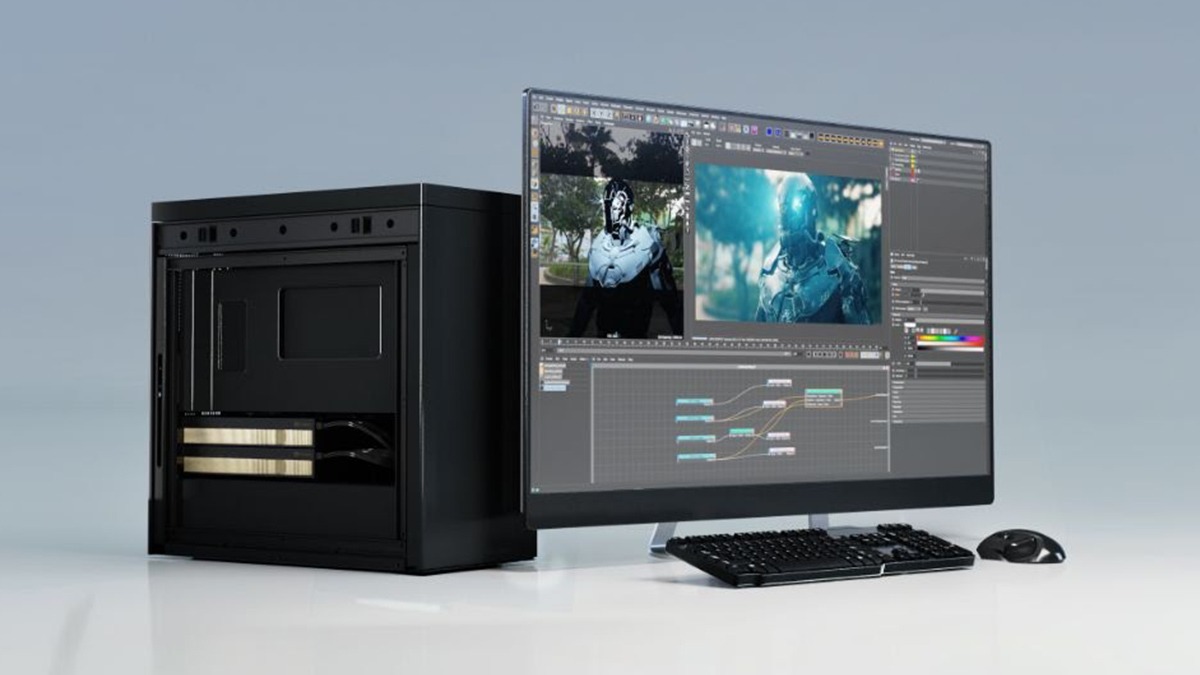
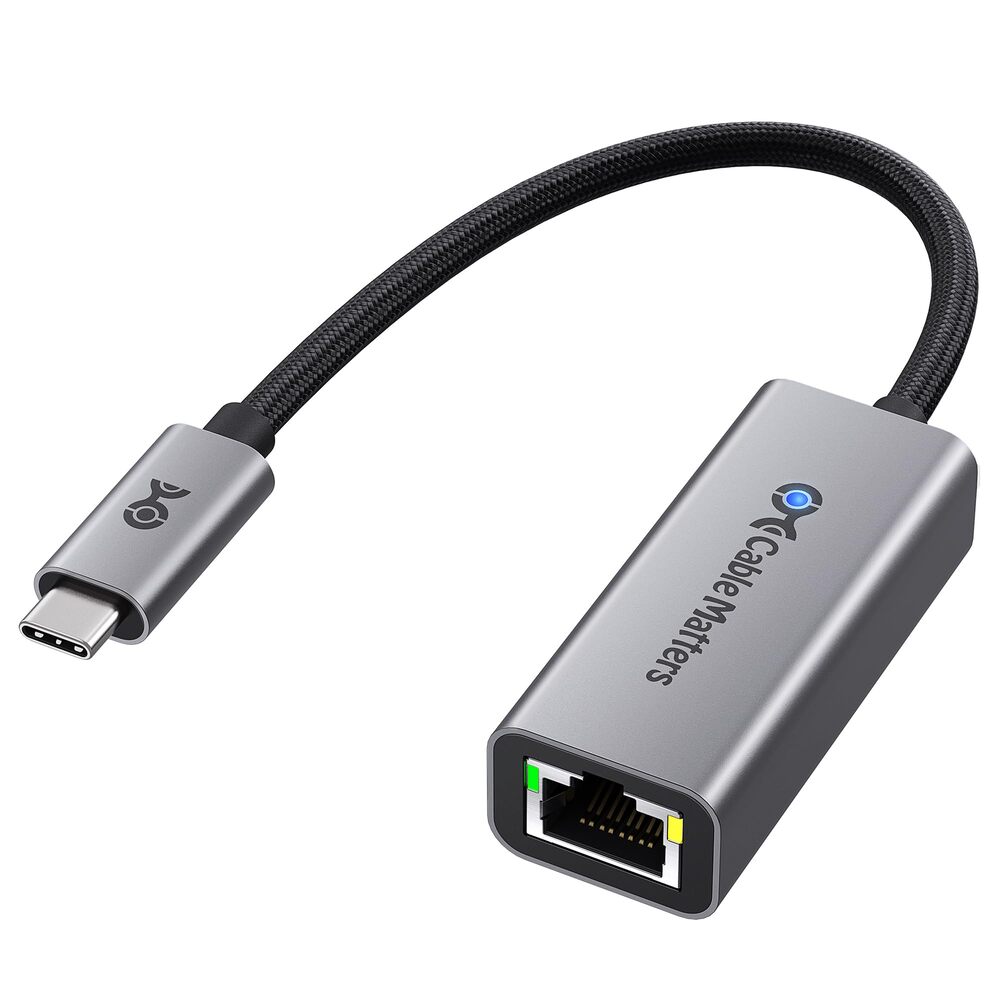
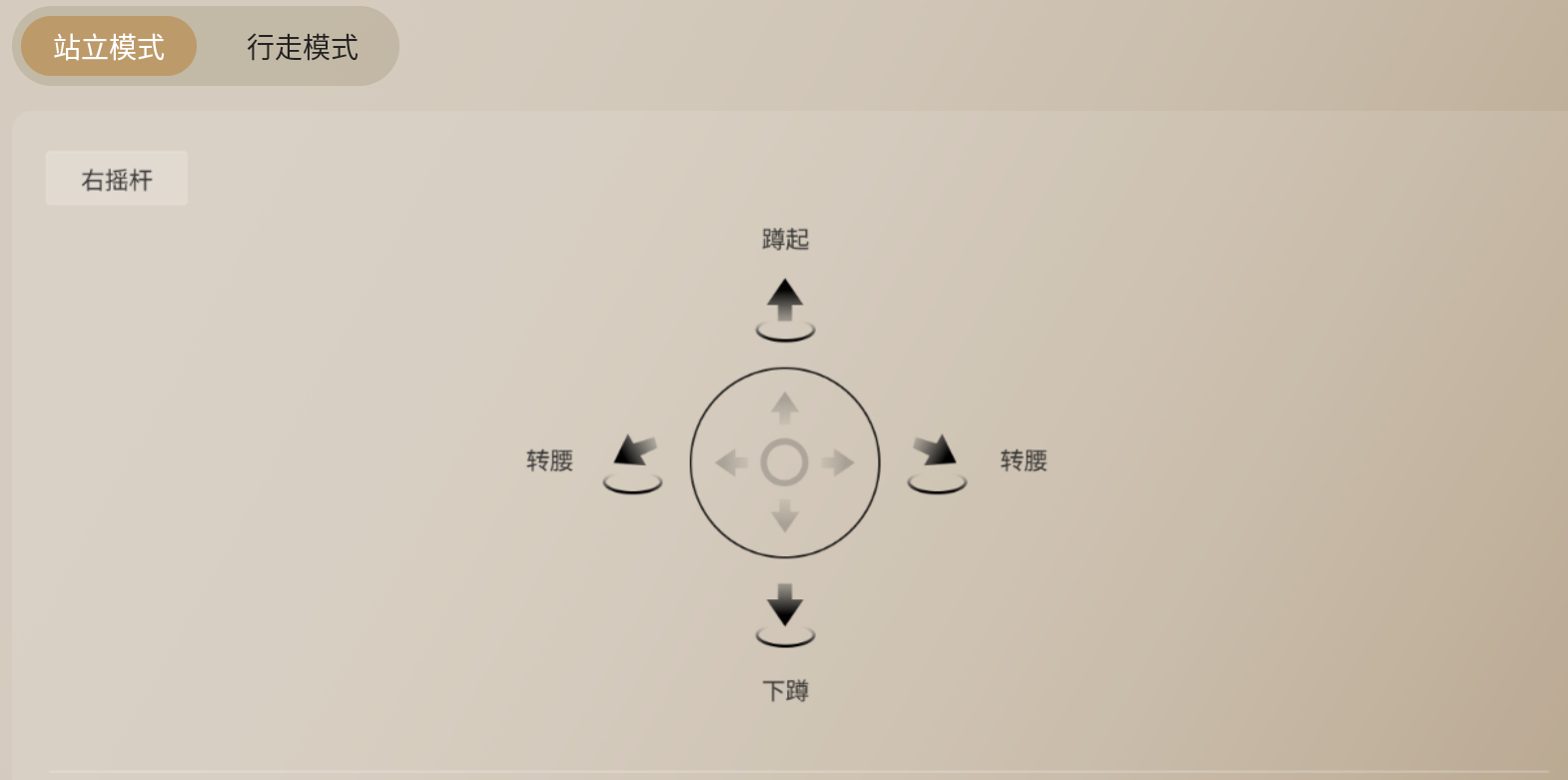
You need an Ubuntu development computer, wired network connection, the Fourier handheld controller, official battery packs and charger, manufacturer calibration tools, a rated lifting or suspension rig, a static stand and the prescribed emergency-stop equipment. Use a clear test area and qualified operators.
Equipment preparationhttps://support-old.fftai.com/en/docs/GR-X-Humanoid-Robot/GR3/Operation-Guide/preparation/
8. How to start GR-3
Commissioning a 71 kg humanoid requires qualified operators and a certified lifting system. Follow the instructions for the delivered configuration.
- Secure the robot on an approved hoist before powering it.
- Insert the charged battery into the rear compartment.
- Hold the battery power button for three seconds until the indicator remains on.
- Inspect the robot and confirm the safety checks.
- Operate the system power button until the indicator is solid green.
- Open GR Control and connect using the robot serial number and authorized credentials.
- Start control and follow the manufacturer procedure for standing.
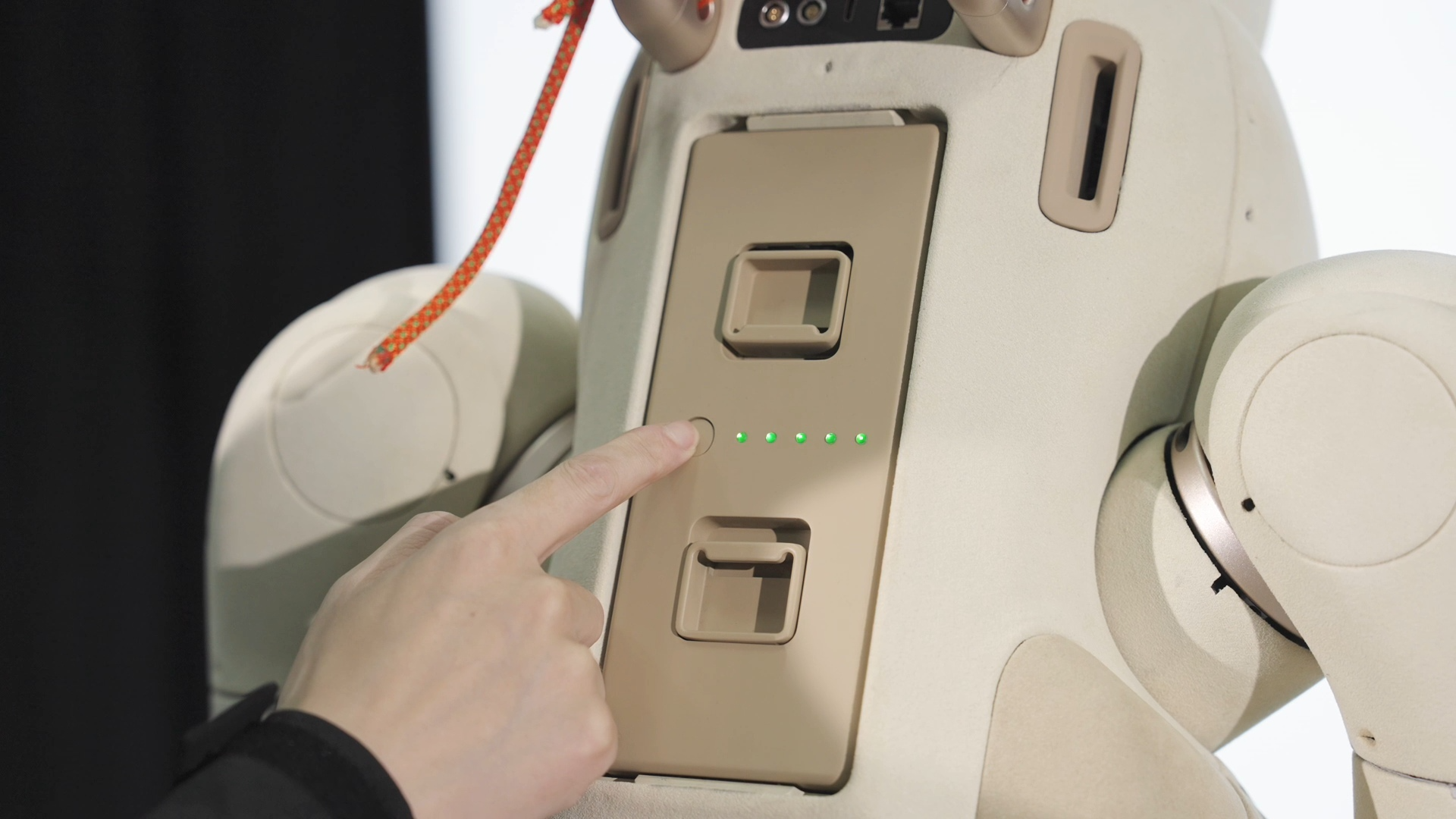
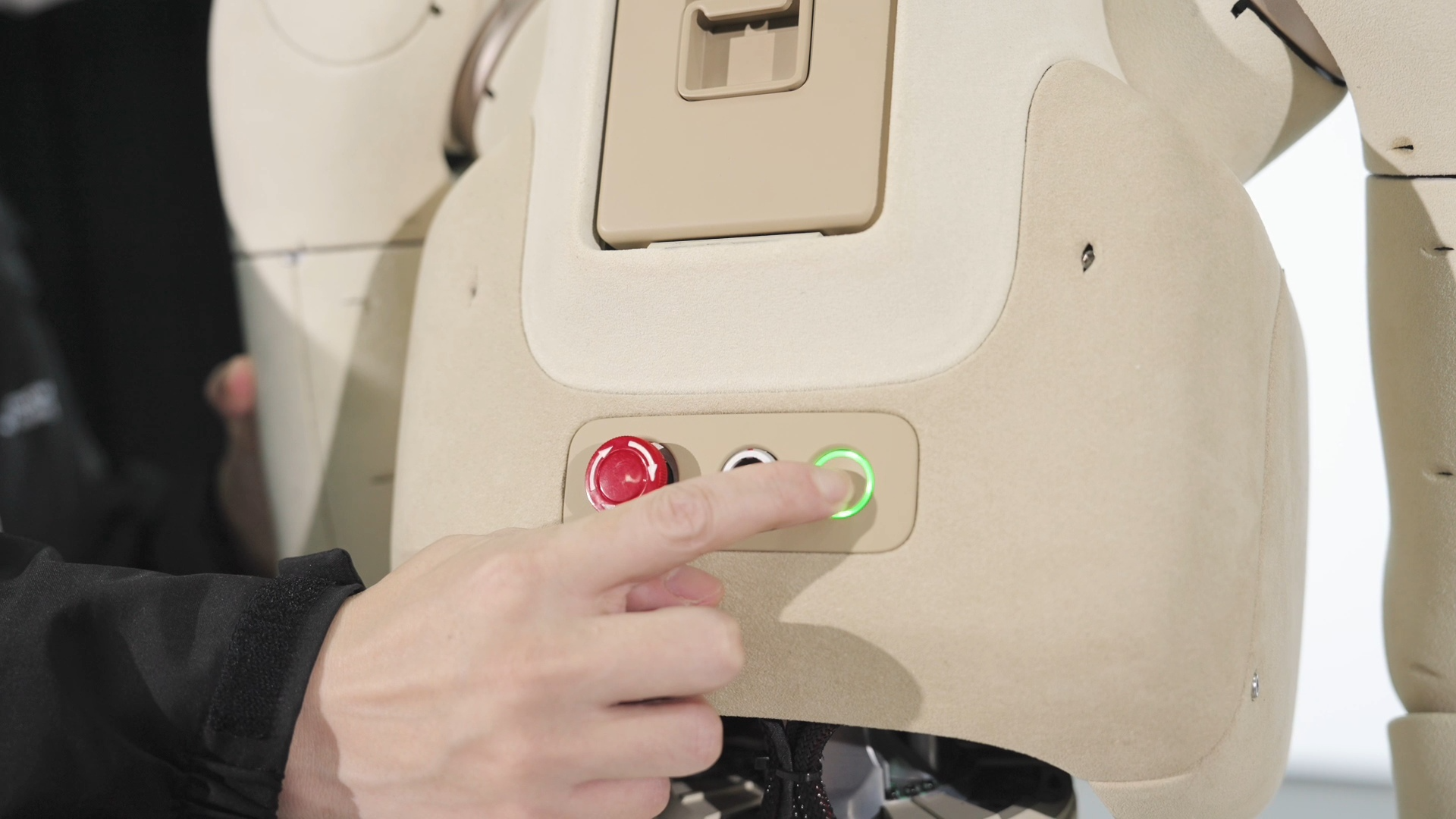
Never switch off an unsupported standing robot or bypass the safety procedure. Follow Fourier training for shutdown, battery removal and recovery.
Official operation guidancehttps://support.fftai.com/en/gr3/getting-started/operation-guidance
9. How to make GR-3 walk
The standalone GR Control application documents Stand and Walk modes. Once standing is verified under supervision, select Walk and use the left joystick for forward or backward motion and the right joystick to turn. The software includes an anthropomorphic gait and standby animations. Fourier lists 6.1 km/h as its walking speed, not a recommended initial test speed.
Start on level ground at low speed with an approved lifting system and trained supervision. The newer Aurora quick-start explicitly marks joystick support as unavailable in its current software release. Do not confuse the standalone GR Control app with the Aurora gamepad roadmap.
GR Control applicationhttps://support-old.fftai.com/en/docs/GR-X-Humanoid-Robot/GR3/Operation-Guide/app/
10. How to make GR-3 run
Fourier publishes a walking speed of 6.1 km/h. I found no verified maximum running speed or universal GR-3 running command. A walking controller does not automatically support a running gait.
A running controller must handle flight phases, foot impacts, dynamic balance, torque and thermal limits. Only attempt hardware testing with Fourier-approved control interfaces and trained supervision.
11. How to make GR-3 dance
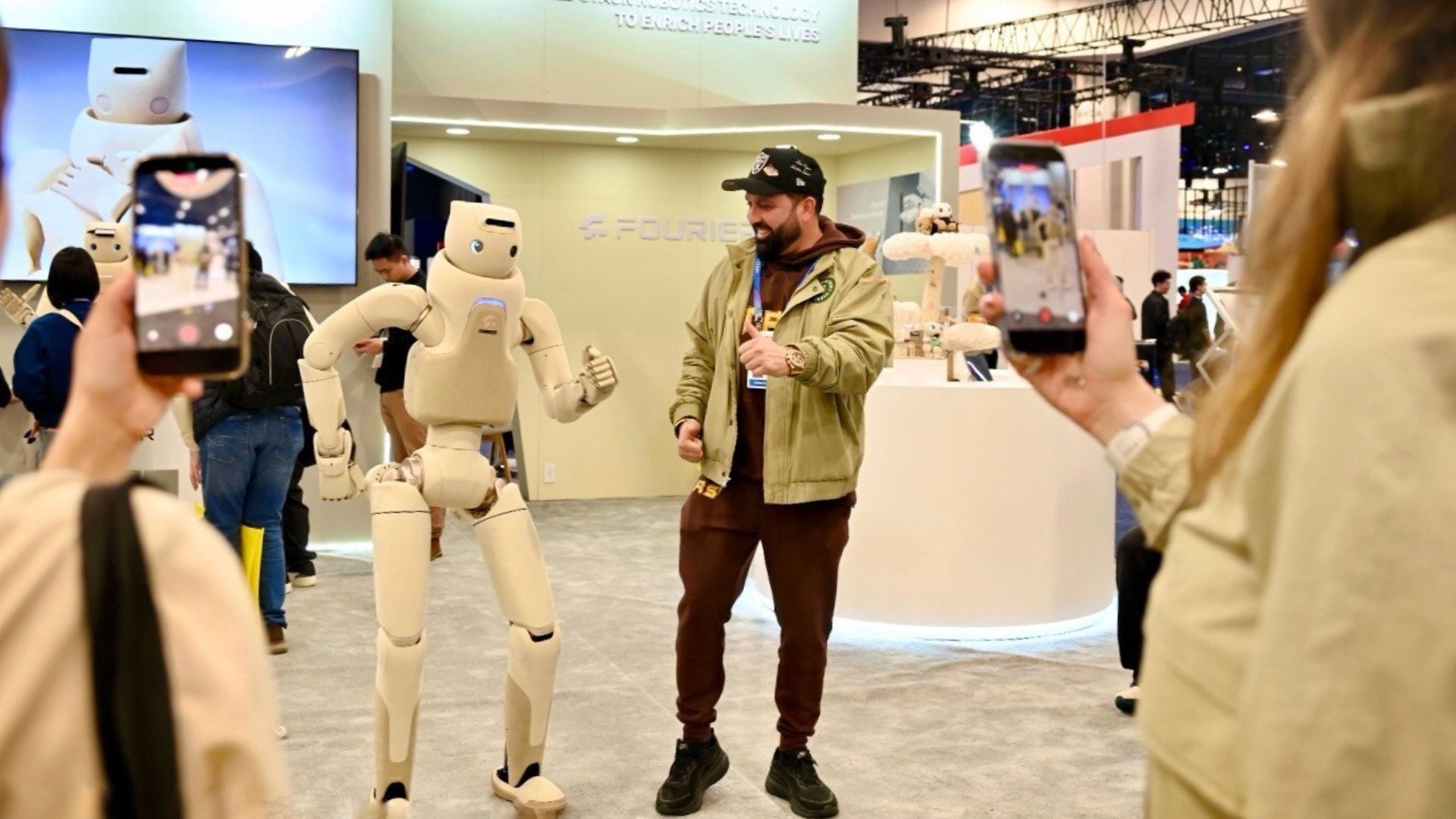
Fourier advertised scheduled robot dance performances at CES 2026. GR Control also documents individual actions and repeated action sequences. That does not imply that the exact CES dance is publicly downloadable.
Motion retargeting adapts a human pose sequence to the proportions and joint ranges of a humanoid. The GMR open-source motion retargeting project lists GR-3 support. Validate any movement in simulation before using it on an approved physical robot.
GMR motion retargetinghttps://github.com/YanjieZe/GMR
Fourier CES announcementhttps://tools.prnewswire.com/en-us/live/20823/release/20260106EN55830
12. Which software to use
| Software | Purpose |
|---|---|
| GR Control | Operating the robot and supported movement modes |
| Fourier Aurora SDK | Robot programming and control |
| Ubuntu 22.04 | Robot operating system |
| Python | Client programming and automation |
| C++ | Robotics development |
| FourierDDS | Data communication |
| MuJoCo | Physics simulation |
| NVIDIA Isaac Lab | Complementary simulation and learning environment |
| PyTorch | Complementary learning and policy training |
| GMR | Human-to-robot motion retargeting |
Fourier Aurora SDK is published under Apache 2.0 and provides GR-3 examples. Isaac Lab and PyTorch are complementary research tools, not confirmed preinstalled GR-3 software. Fourier Lab includes examples for other GR-series robots; do not assume that a GR-2 trained policy can run directly on GR-3.
Fourier Aurora SDKhttps://github.com/FFTAI/fourier_aurora_sdk
13. How to program GR-3
Step 1. Download the official SDK
git clone https://github.com/FFTAI/fourier_aurora_sdk.git
cd fourier_aurora_sdk
Step 2. Install the Python client
pip install fourier-aurora-client==0.2.1The current quick-start uses client version 0.2.1 and Python 3.9 or newer. Older repository instructions may show a different package version. Use the version compatible with your installed robot firmware.
Step 3. Configure the network
| Network setting | Documented value |
|---|---|
| Robot IP | 192.168.137.220 |
| Computer IP | 192.168.137.X (avoid motor and device address conflicts) |
| Subnet mask | 255.255.255.0 |
| Gateway | 192.168.137.1 |
| Aurora DDS domain | 123 |
Connect over Ethernet and use authorized SSH access to the onboard robot computer. The current Aurora Python client must run on the robot host; it does not support a remote Aurora connection from an external Python process.
Step 4. Initialize the Python client
import os
from fourier_aurora_client import AuroraClient

os.environ["FASTDDS_BUILTIN_TRANSPORTS"] = "UDPv4"

client = AuroraClient.get_instance(
    domain_id=123,
    robot_name="gr3"
)
client.close()| API method | Role |
|---|---|
| set_fsm_state() | Select a documented controller state |
| set_velocity_source() | Select command source |
| set_velocity() | Send velocity command |
| close() | Release the client |
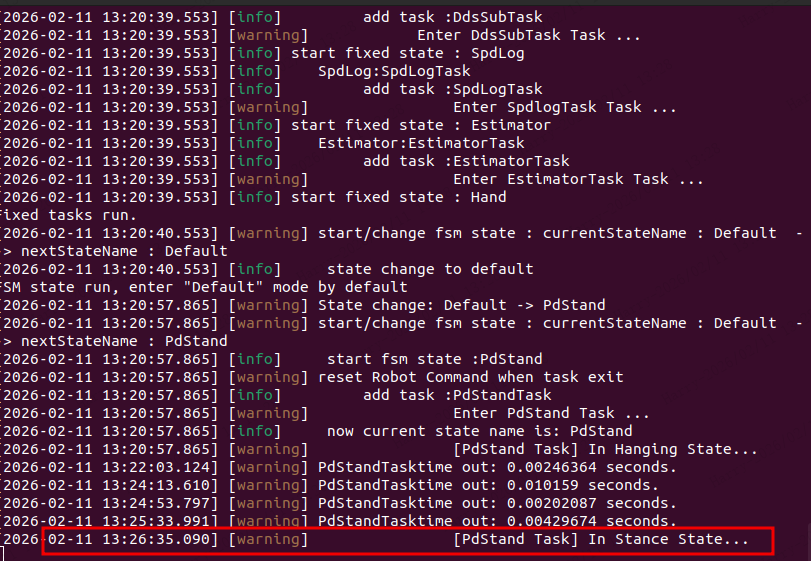
The manufacturer demonstration uses state 2 for PdStand, state 3 for RLLocomotion, velocity source 2 for client control and a 0.2 m/s forward command lasting three seconds. These are documented examples for the supported controller version, not instructions to execute on an uncommissioned robot. Use the official quick-start with an approved operator and confirmed safety procedures.
Aurora real robot quick starthttps://support.fftai.com/en/gr3/getting-started/quick-start
14. How to learn without buying a robot
You can begin learning before purchasing a physical GR-3. Download the manufacturer robot models and study their URDF descriptions, kinematics, joint limits and simulation interfaces.
git clone https://github.com/FFTAI/Wiki-GRx-Models.gitBuild your first tasks in a physics simulator. Study standing and walking before experimenting with running or choreography. Use the exact GR-3 model and match controller and SDK versions before transferring a policy to hardware.
Robot overviewhttps://support.fftai.com/en/gr3/getting-started/general-information
Aurora SDKhttps://github.com/FFTAI/fourier_aurora_sdk
Fourier robot modelshttps://github.com/FFTAI/Wiki-GRx-Models
Fourier Labhttps://github.com/FFTAI/fourier_lab
Quick starthttps://support.fftai.com/en/gr3/getting-started/quick-start
MuJoCo documentationhttps://mujoco.readthedocs.io/