Published specifications for 4NE1
- Height
- 180 cmHeight explicitly attributed to Gen 3.5 in the March 2026 event report.
- Mass
- 80 kgManufacturer datasheet V6 for Gen 3.5; not independently weighed.
- Reported speed
- 5 km/hPublished speed, not a documented sustained-travel test.
Not established for this configuration: Actuated joints, Battery runtime.
Hardware and components
- Actuation and manipulation
- High-torque actuation, replaceable forearm modules and integrated dexterous hands; the datasheet lists 12 DOF for NEURA's own hands.
- Handling load
- The datasheet gives a 10-100 kg application-dependent range. It varies with load location, end effector and robot configuration; it is not a sustained single-arm rating.
- Perception and safety
- 360-degree perception, computer vision and sensor skin are listed. Human-detection safety sensors are optional at additional cost.
- Onboard computing
- The Gen 3.5 datasheet identifies Thor T5000 for control, with voice AI and remote operation.
- Power
- The datasheet advertises 24/7 operation with intelligent battery management. It does not specify single-charge runtime. A dedicated charging station is included in the reservation configuration.
- Developer access
- Python and C++ SDKs, a ROS 2 interface and Ethernet/Wi-Fi 6 connectivity.
- Remote and training
- Digital twin, teleoperation, Neuraverse via NEURA Sync and Neura Gym training access are advertised.
Control and operating conditions
At the March 2026 VfB Stuttgart match, visitors could converse and take selfies with Gen 3.5. The microphone and ball handovers were performed by 4NE1 Mini. NEURA did not publish autonomous completion rates or intervention counts for the larger robot.
Ordering and access
The English reservation page estimates €98,000 per robot; the German page also lists €60,000 per robot for orders of 20 or more. Both exclude tax and shipping. The refundable €100 deposit is credited toward purchase. Availability is forecast for the end of 2026. Request a written quote for commercial orders.
Manufacturer and development
David Reger founded NEURA Robotics in Metzingen in 2019. The next-generation 4NE1 was announced for CES 2026, with its design developed in collaboration with Studio F. A. Porsche.
Questions specific to NEURA Robotics 4NE1
How should an engineer evaluate its handling capacity?
Ask for the permitted load at the actual reach and forearm configuration. Test object pickup, transport and placement repeatedly under a defined duty cycle; record success, intervention frequency and recovery time. The advertised payload range alone cannot predict throughput.
NEURA 4NE1: Complete Guide to Buying, Starting and Programming the Humanoid Robot
Manufacturer and developer records checked November 17, 2026. This guide distinguishes what is advertised for Gen 3.5 from demonstrations of other 4NE1 versions and general robotics development methods.
1. What is the NEURA 4NE1?
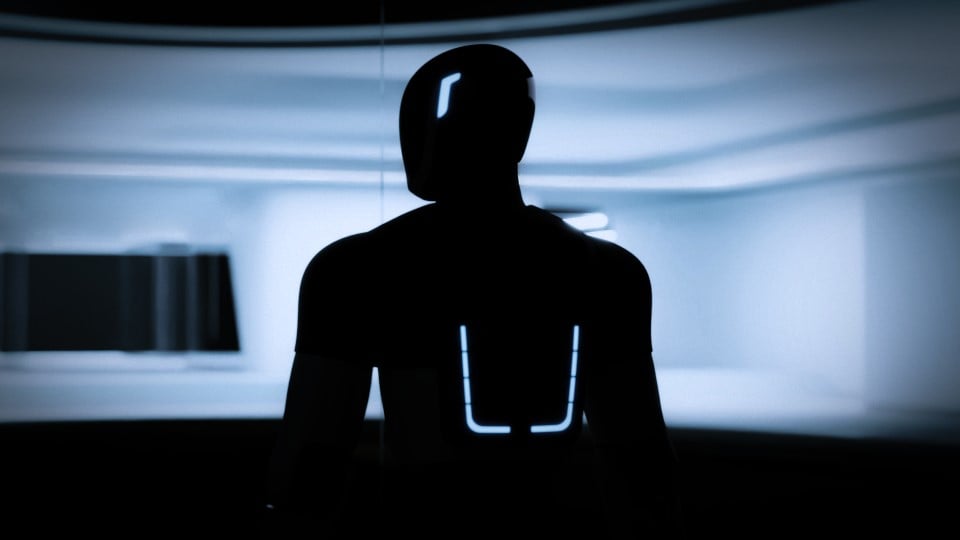
NEURA 4NE1, pronounced For Anyone, is a German cognitive humanoid robot designed for industrial, household and service tasks. It combines articulated hands, perception sensors, artificial intelligence and bipedal locomotion.
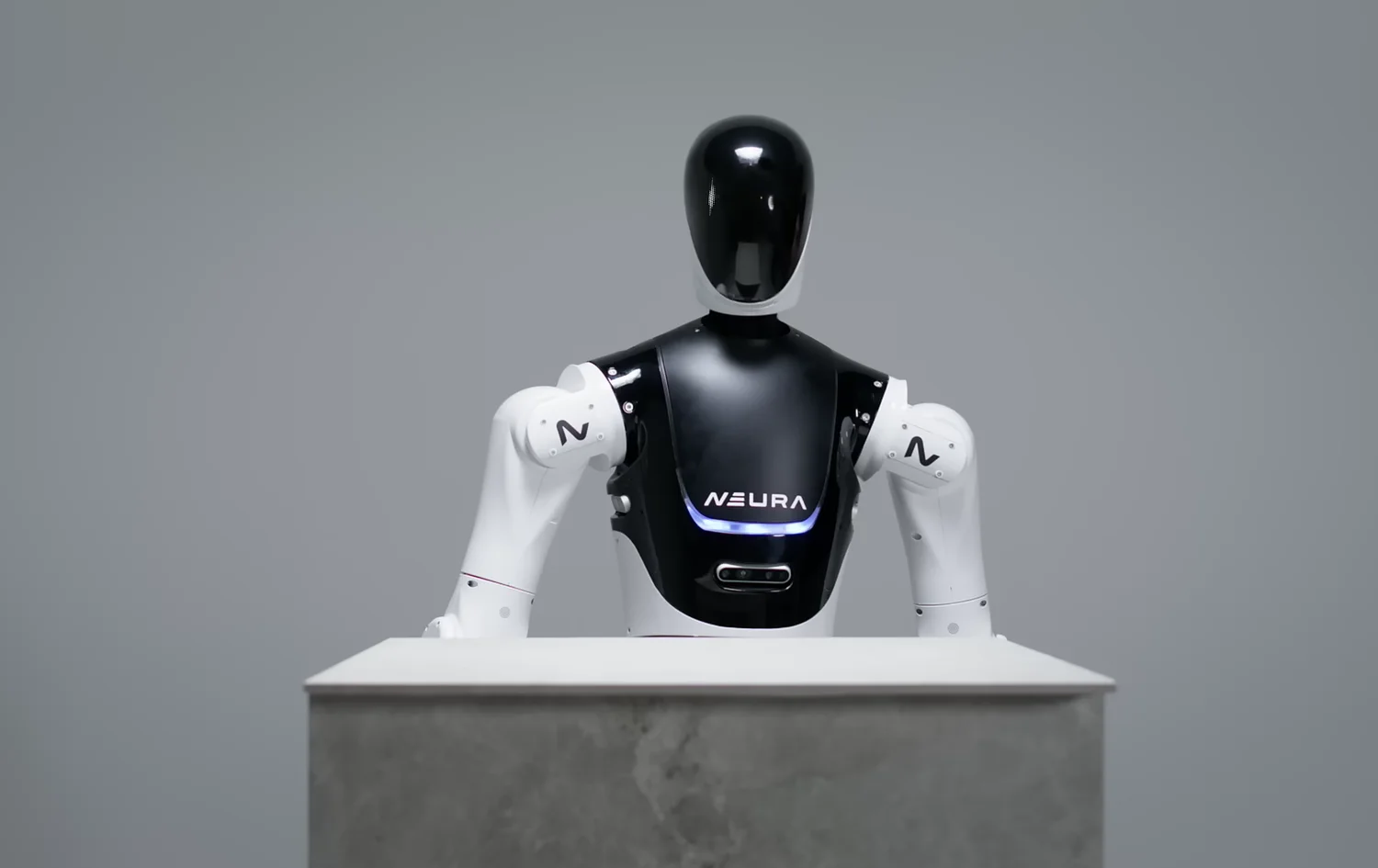
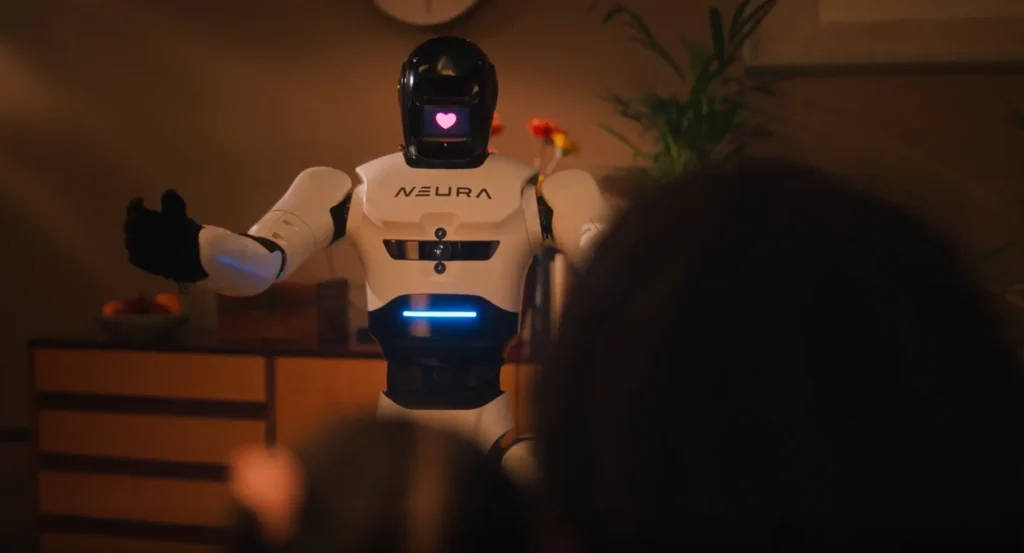
Its intended applications include:
- Manipulating objects.
- Transporting material.
- Interacting with humans.
- Performing repetitive tasks.
- Learning new skills.
- Working in industrial environments.
2. Who created the 4NE1?
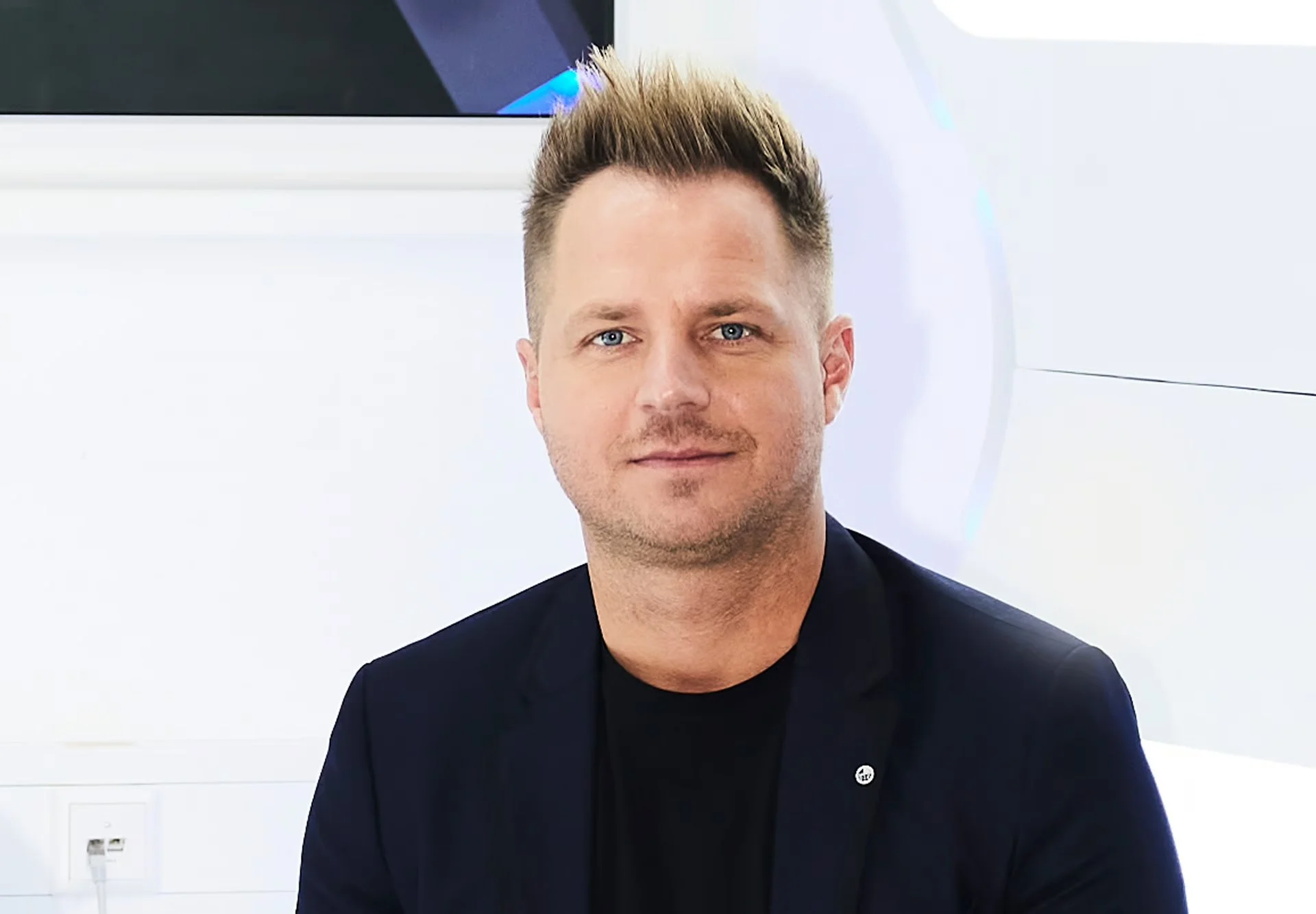
David Reger
Founder and CEO of NEURA Robotics, established in 2019 in Metzingen, Germany. Portrait: Humanoids Summit.
NEURA Robotics develops its own robots, perception systems, software and artificial intelligence. The Gen 3.5 design also involved Studio F.A. Porsche.
3. Technical specifications of the 4NE1 Gen 3.5
| Characteristic | Specification |
|---|---|
| Height | 180 cm |
| Weight | 80 kg |
| Hands | 12 advertised degrees of freedom |
| Advertised payload | 10–100 kg, application and configuration dependent |
| Speed | 5 km/h |
| Computer | NVIDIA Thor T5000 |
| Perception | 360° |
| Connectivity | Wi-Fi 6 and Ethernet |
| Programming | Python, C++ and ROS 2 |
| Teleoperation | Announced |
| Forearms | Interchangeable |
| Battery | Intelligent battery management |
| Digital twin | Access announced |
The datasheet describes 24/7 operation with battery management. This does not mean 24 hours of runtime on a single charge. Maximum payload depends on the configuration, end effector and location of the load. The advertised safety human-detection sensors are optional and cost extra.
4. The different 4NE1 versions
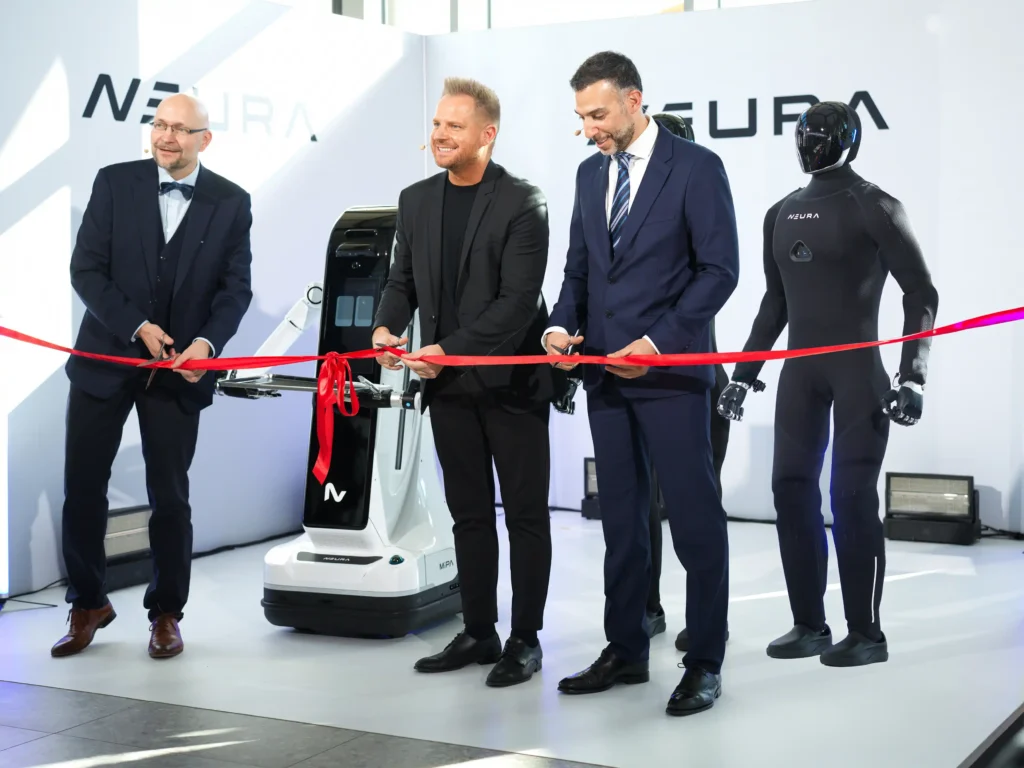
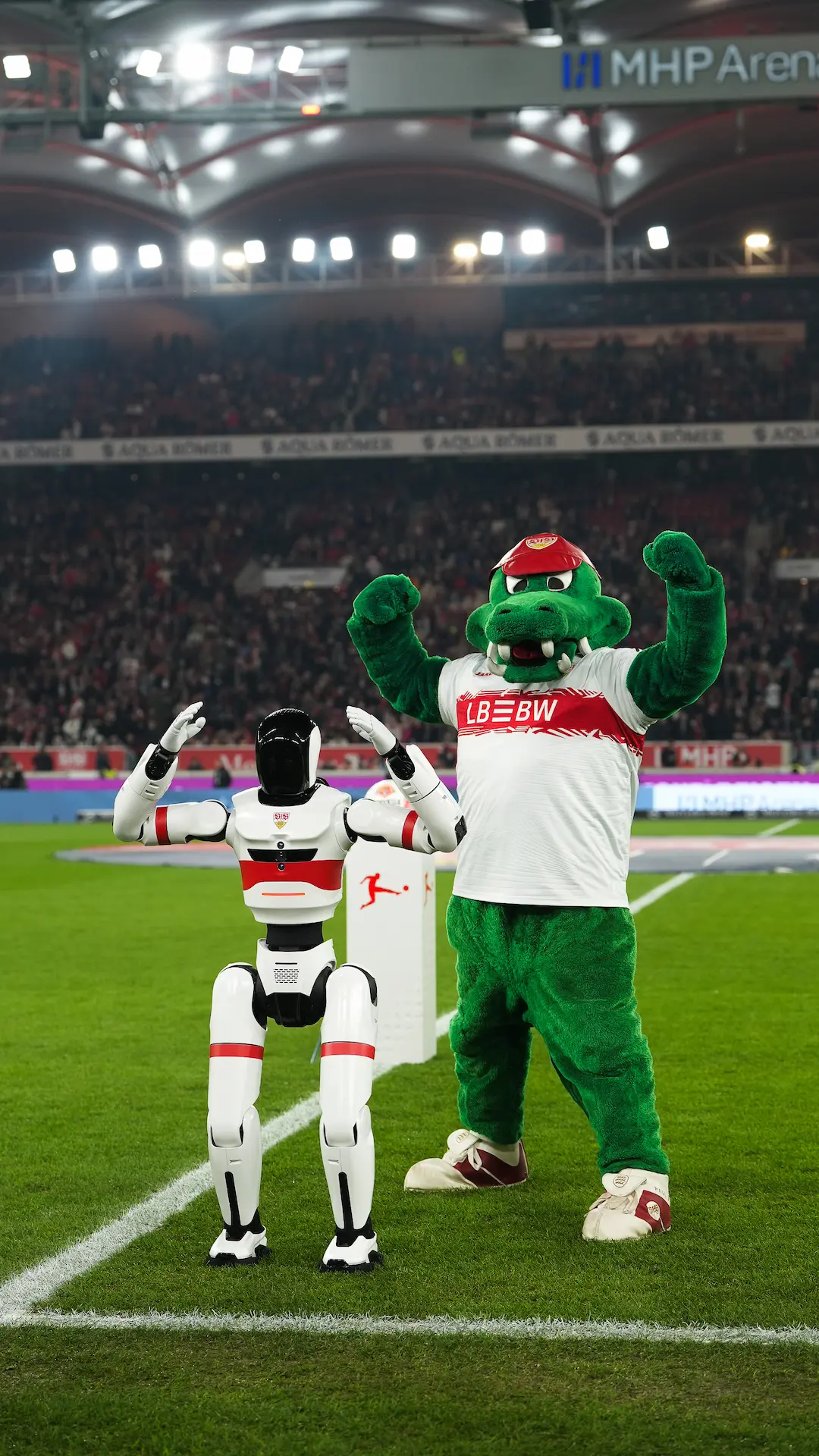
Gen 4 features a body that is 20% lighter than its predecessor, a textile outer skin and updated motion control. It is operating in NEURA Gym facilities and being prepared for series production.
5. How much does the NEURA 4NE1 cost?
| Model | Estimated price |
|---|---|
| 4NE1 Mini Standard | €19,999 |
| 4NE1 Mini Pro | €29,999 |
| 4NE1 Gen 3.5 | €98,000 |
| 4NE1 Gen 4 | Not confirmed |
Prices exclude taxes and delivery. The Gen 3.5 reservation costs €100 before applicable taxes and is credited toward the final purchase. The deposit is refundable before the final purchase agreement is signed. Availability is expected around the end of 2026.
6. How to buy and order the robot
- Visit the official reservation page: neura-robotics.com/product/4ne1-reservation/.
- Select the robot reservation.
- Enter your billing details.
- Pay the reservation fee.
- Wait for confirmation from the manufacturer.
- Confirm the configuration, final price and delivery arrangements.
- Arrange commissioning.
Business and industrial orders should use NEURA Robotics' contact form at neura-robotics.com/contact-us/. For delivery to Morocco, request a quotation covering shipping, import arrangements, warranty and technical support.
7. What equipment do you need?
Development workstation
A suitable computer, with an NVIDIA GPU if local simulation or model training requires one.
Equipment schematic
Ethernet cable
For a wired connection to the robot.
Equipment schematic
Wi-Fi 6 router
For supported wireless communication.
Equipment schematic
Approved safety support
A suitable fall-protection support for supervised tests.
Equipment schematic
Emergency stop
Confirm the supplied emergency-stop equipment and safety procedures.
Equipment schematic
Compatible teleoperation equipment
Use the devices and interfaces approved by NEURA.
Equipment schematic
The robot is expected to be supplied with integrated hands, a battery and a dedicated charging station. Specialized accessories are ordered separately.
8. How does its artificial intelligence work?
In October 2026, NEURA introduced Neuron AI. The model combines several sensor inputs to control robot actions on compatible platforms.
The model uses feedback from the physical action to update its state.
Neuron AI runs locally on compatible robots. It can use touch when an object is hidden from the cameras or sound to recognize a mechanism closing. Gen 4 runs Neuron AI; confirm the delivered Gen 3.5 software configuration with NEURA.
9. How to start the 4NE1
A complete owner-facing startup sequence has not been identified in publicly available documentation. This is a general commissioning process to follow with the manufacturer:
If diagnostics indicate a fault, stop and seek technical support. Only proceed after all systems have passed the approved checks.
The first commissioning should take place with a qualified technician in a controlled environment.
10. Which software should you use? Installation and setup
NEURA advertises the Python SDK, C++ SDK and ROS 2 interface for the Gen 3.5, plus Neuraverse connectivity through NEURA Sync, digital twin access and teleoperation. The software used in research is a separate category. NEURA's CES 2026 announcement describes NVIDIA Isaac Sim, Isaac Lab and Isaac GR00T; this does not establish that their public downloads include a complete 4NE1 controller.
| Software group | Tools | Access |
|---|---|---|
| NEURA ecosystem | Neuraverse, Neuron Suite, Creator Hub, NEURA Sync, Neuron AI, NEURA Gym, digital twin | Manufacturer account or approved access |
| Programming and integration | Python SDK, C++ SDK, ROS 2 | Public development tools; NEURA SDK and robot interfaces require vendor confirmation |
| Simulation and learning | Isaac Sim, Isaac Lab, Isaac GR00T | Public NVIDIA tools; exact model and policy compatibility require confirmation |
Conceptual setup sequence; it is not an official NEURA control architecture.
10.1 NEURA software and account access
Neuraverse / Neuron Suite / Creator Hub Browser platform · early access
Use the official Neuraverse portal and request early access. Once invited, sign in, create a project and activate the permissions provided by NEURA. Neuron Suite handles project orchestration and monitoring; Creator Hub provides visual application and device configuration tools. No separate public desktop installer is documented.
Verify the setup
Confirm that the account can open the project and that the correct robot generation appears in the authorized device inventory.
Official instructions: https://neuraverse.com/
NEURA Sync Manufacturer access · device connection
NEURA lists Sync as the connection between Gen 3.5 and Neuraverse. Request the compatible client or provisioning procedure, robot firmware version and network requirements from NEURA. Follow the supplied commissioning manual; do not install a third-party package with a similar name.
Verify the setup
Check the assigned device and connection status in the authorized dashboard before any movement.
Official instructions: https://neura-robotics.com/product/4ne1-reservation/
Neuron AI Manufacturer-controlled model
NEURA describes a multimodal model across its robot family. Ask for the supported model release, hardware compatibility, access terms and deployment instructions for your delivered robot. No standalone 4NE1 public installer is established in the reviewed material.
Verify the setup
Confirm the approved model version and run the manufacturer-provided validation in a safe simulation or supervised environment.
Official instructions: https://neura-robotics.com/neuron-ai/
NEURA Gym and digital twin Research/training access
NEURA Gym is a training infrastructure, not a downloadable desktop application. Gen 3.5 advertises digital twin access. Request the model files or portal entitlement, compatible simulator version, joint configuration and permitted training workflow from NEURA.
Verify the setup
Open the authorized twin and compare its model designation and joint configuration with the actual robot before starting an experiment.
Official instructions: https://neura-robotics.com/neuragym/
10.2 Development workstation and robot interfaces
Python SDK Public language · manufacturer SDK required
Install the Python version specified in the SDK documentation, then create an isolated project environment. Request the official 4NE1 SDK package and instructions from NEURA; install only the supplied package and dependencies. A public package name has not been verified.
Installation / setup commands
python --version
python -m venv .venv
# Windows PowerShell:
.\.venv\Scripts\Activate.ps1
# Ubuntu / macOS:
source .venv/bin/activate
python -m pip --version
Verify the setup
Use the SDK's documented offline import or sample. Do not assume that a successful Python installation grants access to the physical robot.
Official instructions: https://www.python.org/downloads/
C++ SDK Public compiler · manufacturer SDK required
Install the compiler and CMake for the operating system specified by NEURA. On Ubuntu, the example below installs general C++ build tools. Obtain the NEURA headers, libraries, examples and supported compiler version from the manufacturer before compiling the actual application.
Installation / setup commands
sudo apt update
sudo apt install build-essential cmake
c++ --version
cmake --version
Verify the setup
Build a vendor-provided offline example with the version-matched SDK; do not invent robot-specific include files or commands.
Official instructions: https://cmake.org/download/
ROS 2 Public middleware · robot-specific integration
Select the distribution specified by the 4NE1 SDK. Jazzy on Ubuntu 24.04 is an example, not a confirmed NEURA requirement. Configure the official ROS apt repository using the installation guide first. Then install the desktop package and source its setup script.
Installation / setup commands
sudo apt update
sudo apt install ros-jazzy-desktop
source /opt/ros/jazzy/setup.bash
ros2 --help
Verify the setup
At first run a local ROS example. Use only authorized robot interfaces once NEURA provides the correct network and DDS settings.
Official instructions: https://docs.ros.org/en/jazzy/Installation/Ubuntu-Install-Debs.html
10.3 Simulation, training and AI research
NVIDIA Isaac Sim Public simulator · compatible GPU
Install a supported NVIDIA driver and check the simulator requirements. This example uses Isaac Sim 6.2 with Python 3.12 and the CUDA 13 PyTorch build on a compatible Linux workstation. For CUDA 12, Windows or another release, follow the official instructions. Use an isolated environment, accept the license when prompted and obtain the 4NE1-specific model from NEURA.
Installation / setup commands
python3.12 -m venv env_isaacsim
source env_isaacsim/bin/activate
python -m pip install --upgrade pip
python -m pip install torch==2.11.0 --index-url https://download.pytorch.org/whl/cu130
python -m pip install "isaacsim[all,extscache]==6.2.0.0" --extra-index-url https://pypi.nvidia.com
python -m pip show isaacsim
isaacsim
Verify the setup
Launch an included sample scene first. A successfully installed simulator does not include a confirmed 4NE1 digital twin.
Official instructions: https://docs.isaacsim.omniverse.nvidia.com/latest/installation/install_python.html
NVIDIA Isaac Lab Public learning framework · compatible backend
For a documented Isaac Lab 3.0.0 setup with the Isaac Sim backend, use a separate Python 3.12 environment and a compatible CUDA 13 GPU driver. Install the uv tool first using its official instructions at docs.astral.sh/uv/. The dependency overrides in this example are part of the official release procedure. Match the project release and robot model before training.
Installation / setup commands
uv venv --python 3.12 env_isaaclab
source env_isaaclab/bin/activate
uv pip install "isaaclab[isaacsim]==3.0.0" --overrides "https://raw.githubusercontent.com/isaac-sim/IsaacLab/v3.0.0/tools/wheel_builder/uv-overrides.txt" --extra-index-url https://pypi.nvidia.com --torch-backend cu130 --index-strategy unsafe-best-match
isaacsim
Verify the setup
Launch the simulator and try a documented example. Train and evaluate in simulation before any supervised hardware review.
Official instructions: https://isaac-sim.github.io/IsaacLab/main/source/isaaclab/installation.html
NVIDIA Isaac GR00T Public research model · robot adaptation required
NEURA reported using Isaac GR00T at CES 2026. Select the NVIDIA repository and checkpoint release compatible with your hardware and software. Install Git, clone the official repository and follow its platform-specific installation instructions for dependencies and model weights. This does not establish availability of a ready-made 4NE1 policy.
Installation / setup commands
git clone --recurse-submodules https://github.com/NVIDIA/Isaac-GR00T.git
cd Isaac-GR00T
Verify the setup
Run the documented offline inference test using the appropriate checkpoint and input format.
Official instructions: https://github.com/NVIDIA/Isaac-GR00T
10.4 Common setup problems
| Problem | What to check |
|---|---|
| SDK package missing | Request the exact package, model revision and supported OS from NEURA. Do not install an unverified package. |
| ROS 2 nodes not visible | Confirm the documented ROS distribution, network configuration, authorization and DDS settings; test ROS locally first. |
| Isaac Sim fails to launch | Check GPU support, driver compatibility, Python release and package version. Use the compatibility checker. |
| Simulation does not match robot | Verify the digital twin generation, joint limits, mass properties and firmware interface; do not deploy until they match. |
Before purchase or development, ask NEURA for a written compatibility matrix covering robot generation, firmware, SDK, operating system, ROS distribution, digital twin and authorized control modes. The public tools can be installed and tested without a robot.
11. How to connect the robot to a computer
Use the network configuration and authorization provided by NEURA.
Install a ROS 2 distribution compatible with the manufacturer's SDK. After configuring the network and ROS 2 environment, inspect accessible interfaces with these standard commands:
ros2 node list
ros2 topic list
ros2 service list
ros2 action list
These commands inspect interfaces and do not move the robot. Ask NEURA for the specific service names, commands and access permissions.
12. How to make the 4NE1 walk
Walking requires continuous coordination between the legs, pelvis and upper body.
Sensor feedback continuously updates balance control.
- Use NEURA's approved locomotion controller.
- Check posture stability.
- Choose a low speed.
- Test movement in simulation.
- Conduct a supervised first test on the physical robot.
- Increase walking distance gradually.
NEURA reported that Gen 4 walked from the keynote stage to its stand at NVIDIA GTC Berlin 2026. This demonstration is specific to Gen 4.
13. How to make the robot run
The Gen 3.5 has an advertised speed of 5 km/h. A manufacturer-documented running mode accessible to owners has not been identified. Developing faster locomotion would require work on:
- Dynamic balance control.
- Foot trajectories.
- Ground-contact forces.
- Motor torque limits.
- Recovery after loss of stability.
Start in simulation using the physical model for the exact robot generation. Arbitrarily increasing walking-controller speed does not constitute a valid running-development method.
14. How to make the robot dance
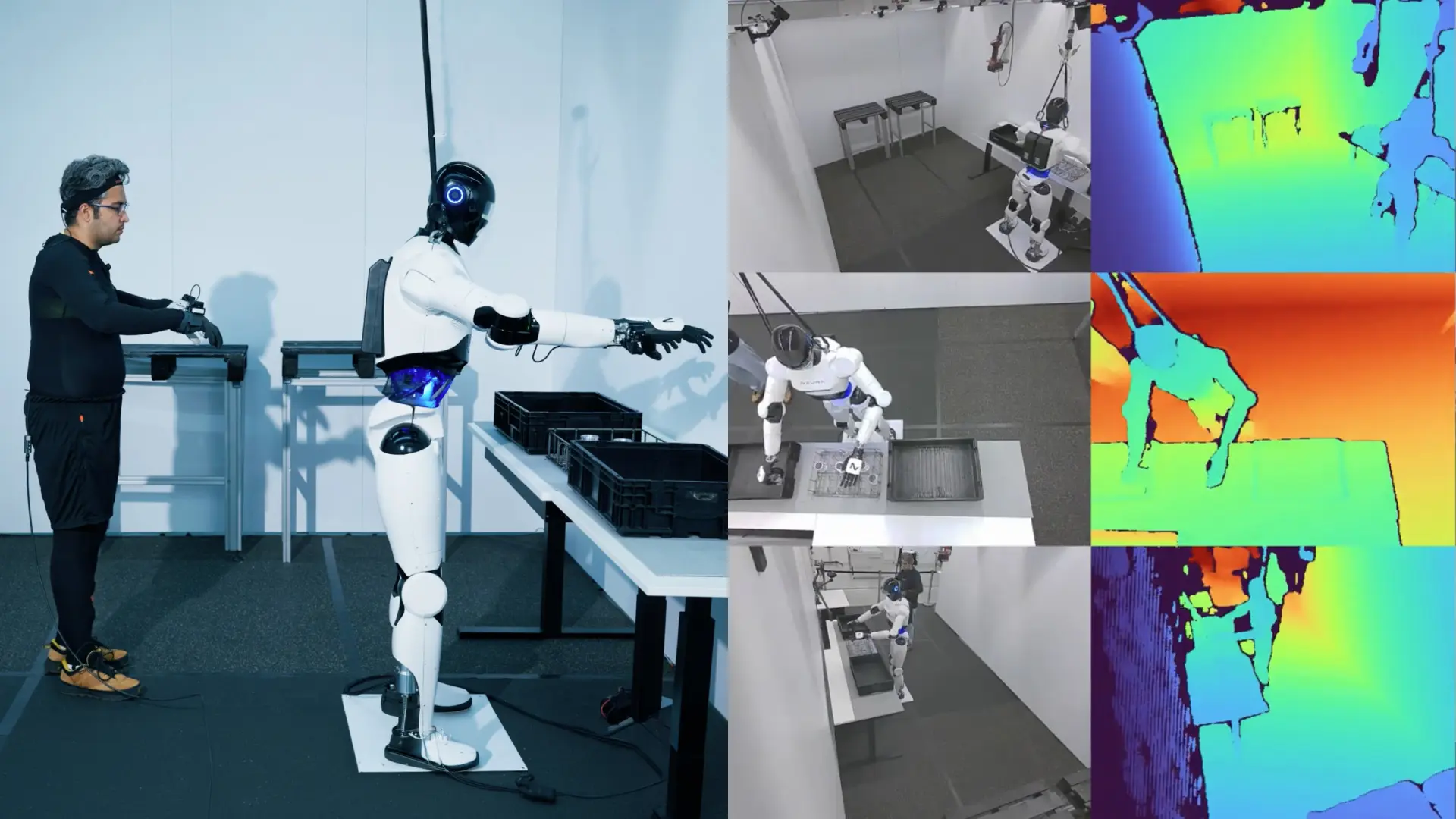
The general method is to convert human motion into trajectories adapted to the robot's joints.
If the motion is unstable, revise the retargeting and trajectories before attempting any physical test.
Potential development tools:
- Blender to prepare animations.
- Motion-capture tools to record movement.
- Python to process trajectories.
- Isaac Sim to verify movement.
- Isaac Lab to train controllers.
These are general development tools. No public 4NE1-specific dance editor or supported dance API has been confirmed.
15. How to program its hands
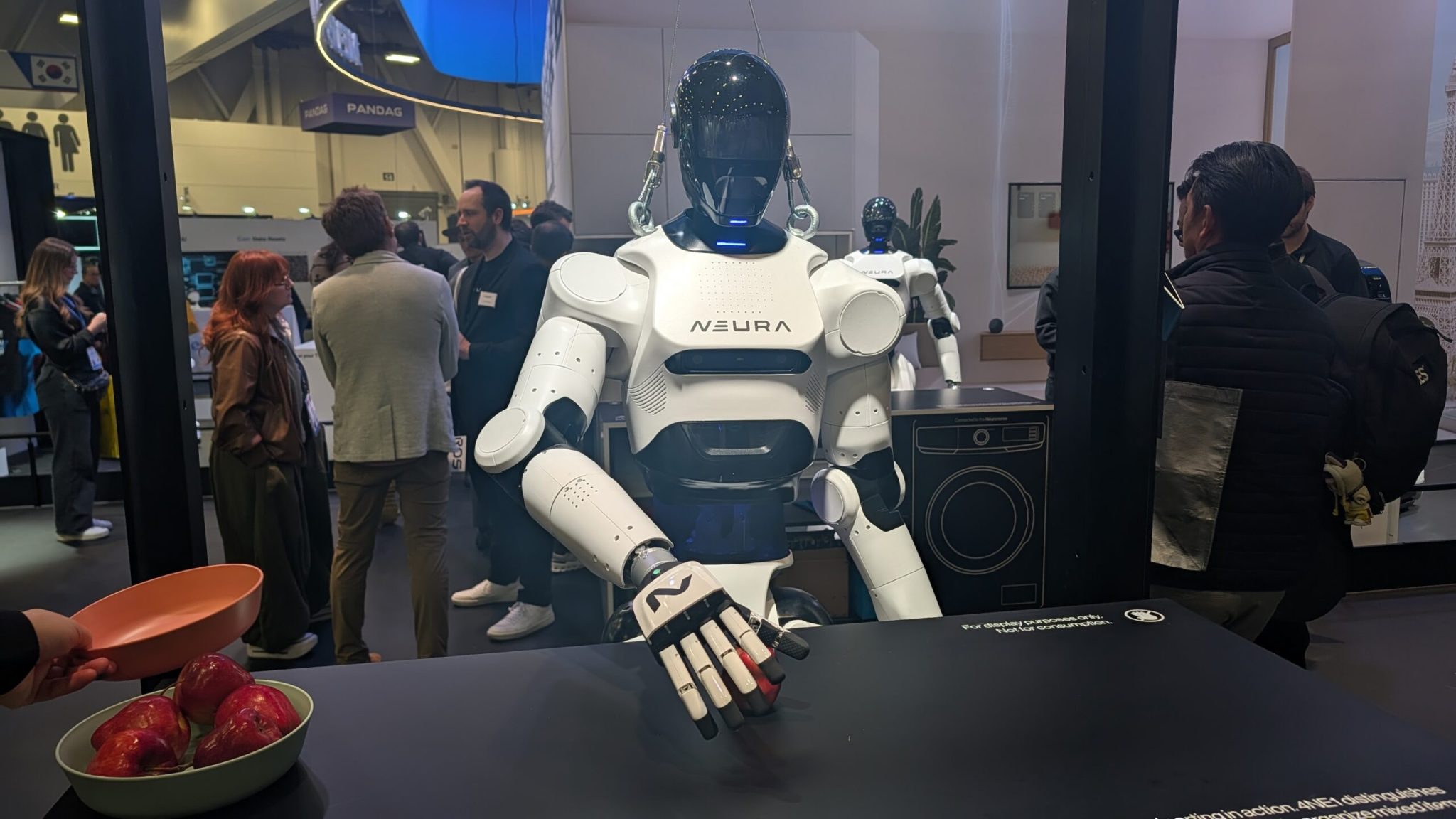
The Gen 3.5 datasheet lists 12 degrees of freedom for its own hands. Grasping an object combines several operations:
If the grip is unstable, return to grasp planning.
Finger programming, force limits and control interfaces must comply with the manufacturer's SDK.
16. How to train the robot for a new task
NEURA Gym is the company's dedicated robot-training infrastructure. Robots learn from data gathered through actual robot tasks, human demonstrations and simulation.
The learned skill is evaluated before deployment to supported robots.
17. Which tasks have actually been demonstrated?
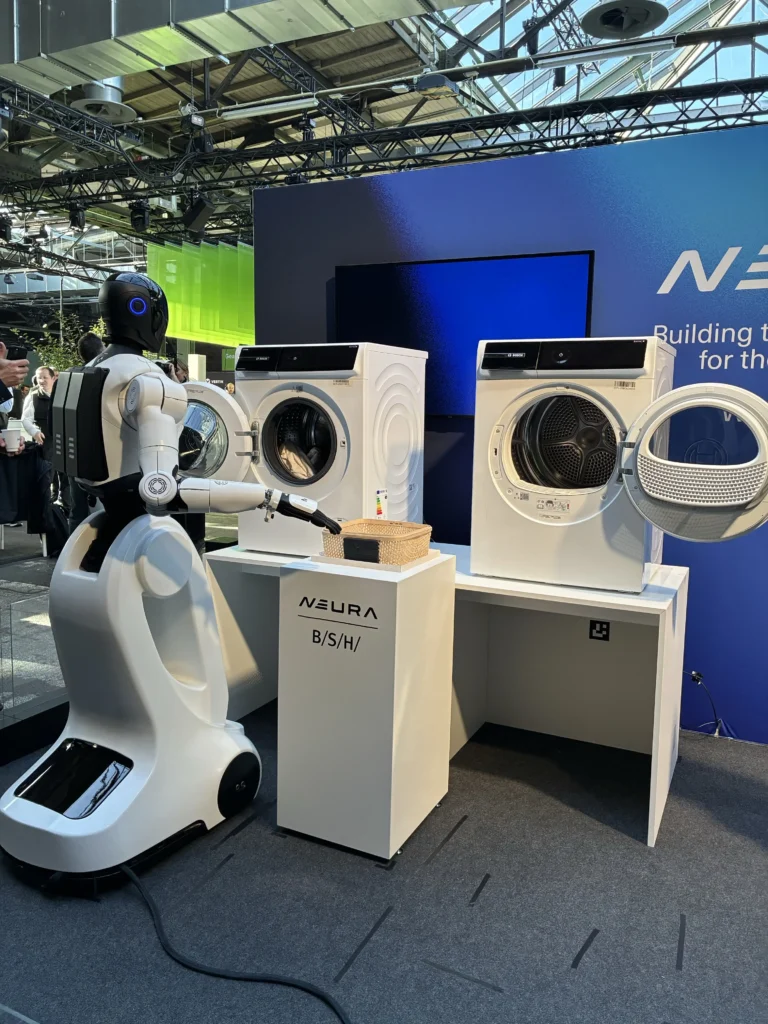
At GTC Berlin 2026, the 4NE1 Wheels completed an autonomous laundry-handling sequence lasting approximately 11 minutes. It sorted garments, loaded the washing machine, reopened it after the cycle and transferred the garments to the dryer.
The wash and dry cycles were shortened to roughly ten seconds for the demonstration. This result was demonstrated by the wheeled platform and should not automatically be attributed to its bipedal counterpart.
18. Resources to get started
| Resource | Official reference |
|---|---|
| Product documentation | neura-robotics.com/products/4ne1/ |
| Gen 3.5 datasheet | neurarobotics.px.media/plk/Qc/4NE1Gen3.5Datasheet.pdf |
| Purchase | neura-robotics.com/product/4ne1-reservation/ |
| Training | neura-robotics.com/neuragym/ |
| Artificial intelligence | neura-robotics.com/neuron-ai/ |
| Simulation | developer.nvidia.com/isaac/sim |
| Robot learning | developer.nvidia.com/isaac/lab |
| Support | neura-robotics.com/contact-us/ |
| Gen 4 announcement | neura-robotics.com/tum-robogym-munich-4ne1-gen4-launch/ |
| Laundry demonstration | neura-robotics.com/nvidia-gtc-berlin-2026-recap/ |
The announced Gen 3.5 developer interfaces make it a useful candidate for research. Before spending €98,000, I would ask the manufacturer to confirm access to the full SDK, the simulation model and custom locomotion commands.